Run your whole business from one app. Built for the field and the office.
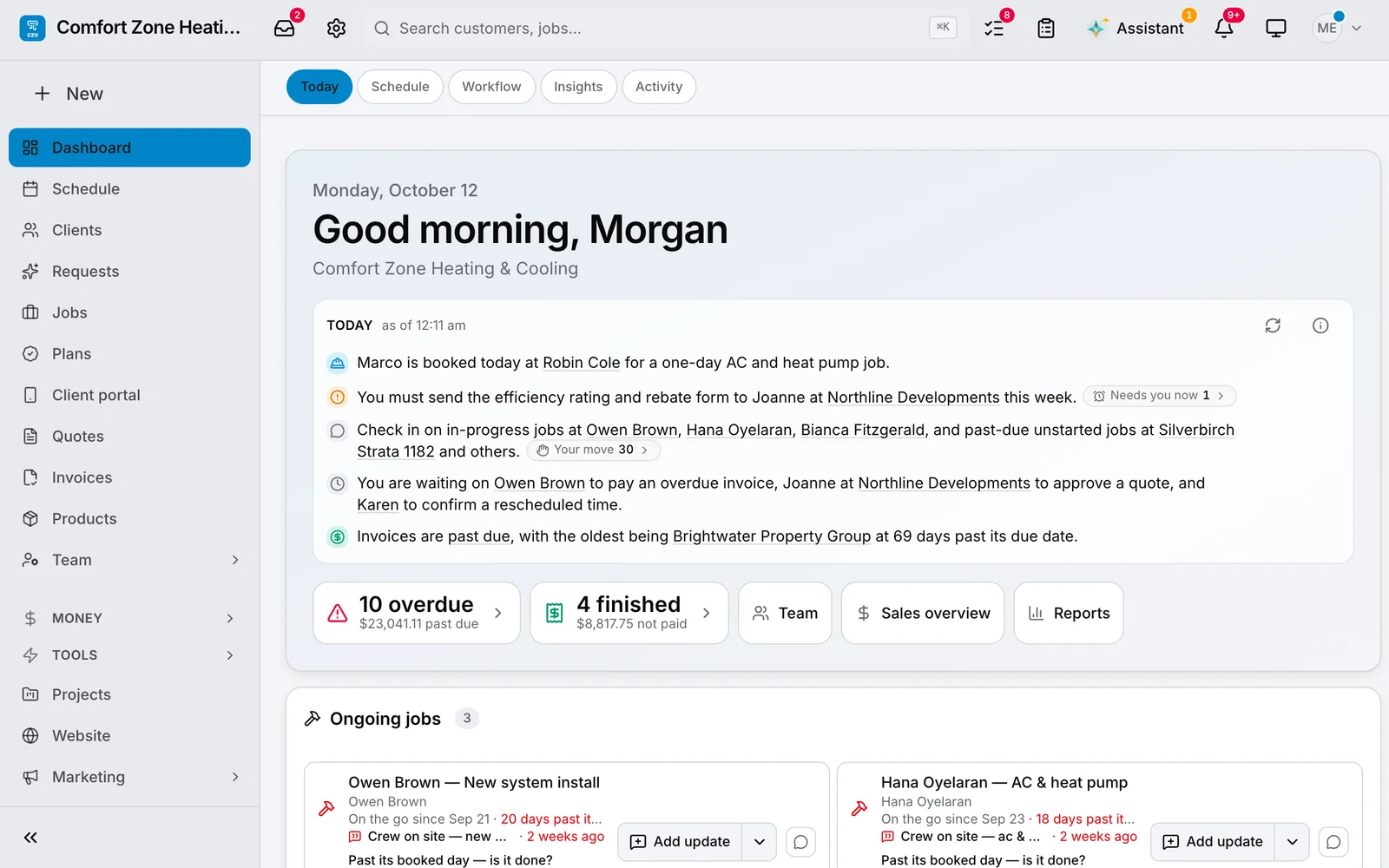
The schedule, every conversation, your team and the invoicing — in one place, on the desk and on the phone.
No credit card required.
-
 Daybooknow
New job — Marcus MacNeil
Furnace tune-up
Daybooknow
New job — Marcus MacNeil
Furnace tune-up
-
Daybooknow
🎉 Emma Thibault approved your quote
CZ-Q-0026 · $3,761.51
-
Daybooknow
💰 Ahmed Haddad paid CZ-INV-0013
$1,270.02 · Credit card (Stripe) · Paid in full
Made for your kind of business.
HVAC
A request becomes a booked service call, and every unit you service stays on the client’s file — make, model, serial and each call it has had. The tech quotes at the data plate, with options the homeowner picks between.
Daybook for HVAC

Plumbing
A request becomes a booked service call, and the plumber quotes under the sink. The client’s emails and texts stay on the job — down to the crew’s “On our way”.
Daybook for Plumbing

Electrical
A request becomes a booked service call, and the electrician quotes at the panel. Before the meter base comes off, the crew fills in the FLHA on their phone — the task, its hazard and its control.
Daybook for Electrical

General contracting
Demolition by the square foot, framing by the linear foot, allowances the client spends and the subs’ quotes carried through — on a quote the client signs. When the job is done, the warranty and closeout package goes out from the job.
Daybook for General contracting

Roofing
Squares in, bundles and roofer hours out — tear-off, underlayment, shingles, flashing and vents on the quote. When the crew posts an update, the job’s brief reads it: what the GC still has to confirm about the garage’s pitch — shingles or membrane — and what that puts at risk.
Daybook for Roofing

Landscaping
Give it the patio area and it works out the pavers, the sand, the base and the crew hours. Seasonal work and crews across many small sites, on one schedule.
Daybook for Landscaping

Daycares
Enrolment, families, staff and billing that runs every month, all year. Children’s records kept, flagged when they expire, never deleted on their own.
Shown on a sample day camp: a daycare runs on the same screens, in its own words.
Daybook for Daycares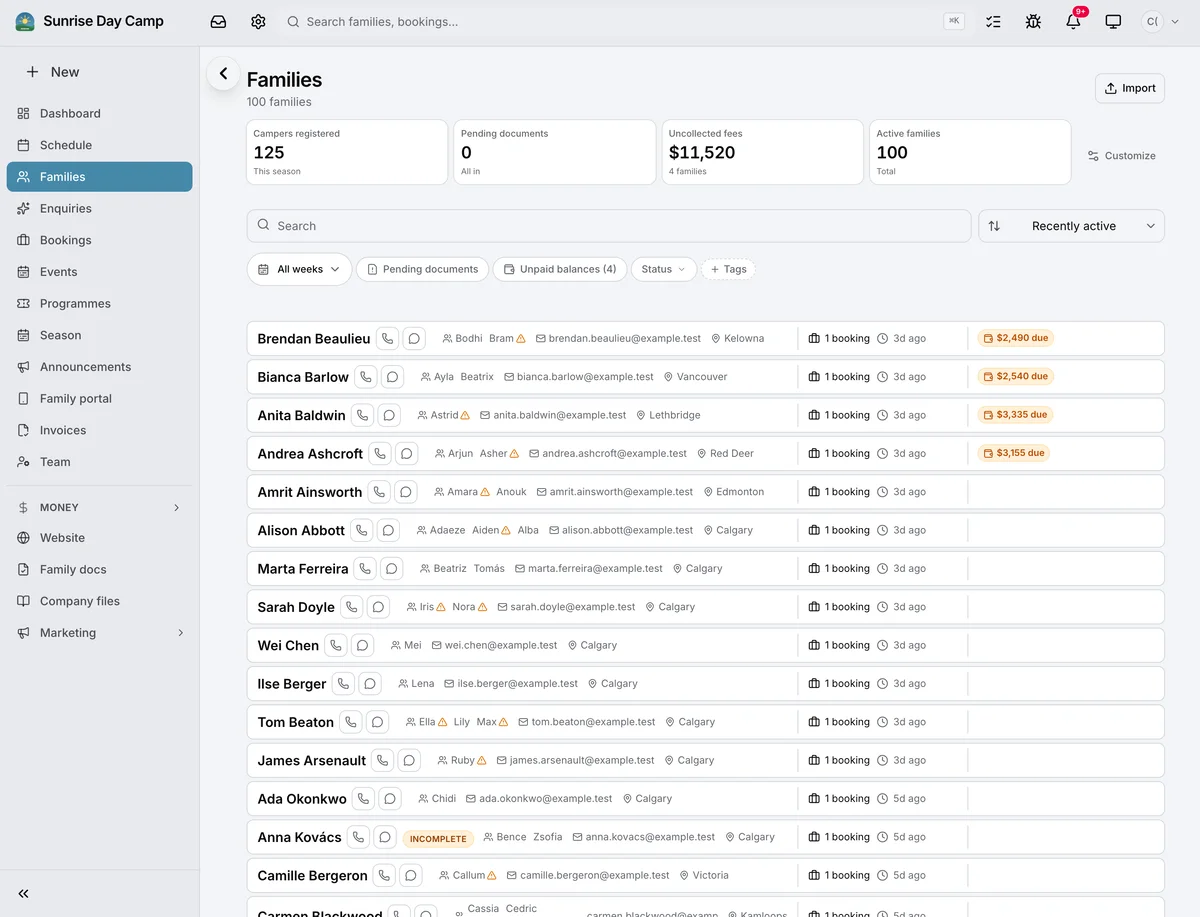
Summer camps
Registration by the week or by the day, and the week board shows every child with their allergies beside them. Waivers are signed by the family before the first day, and photo consent is asked for each child — and honoured.
Daybook for Summer camps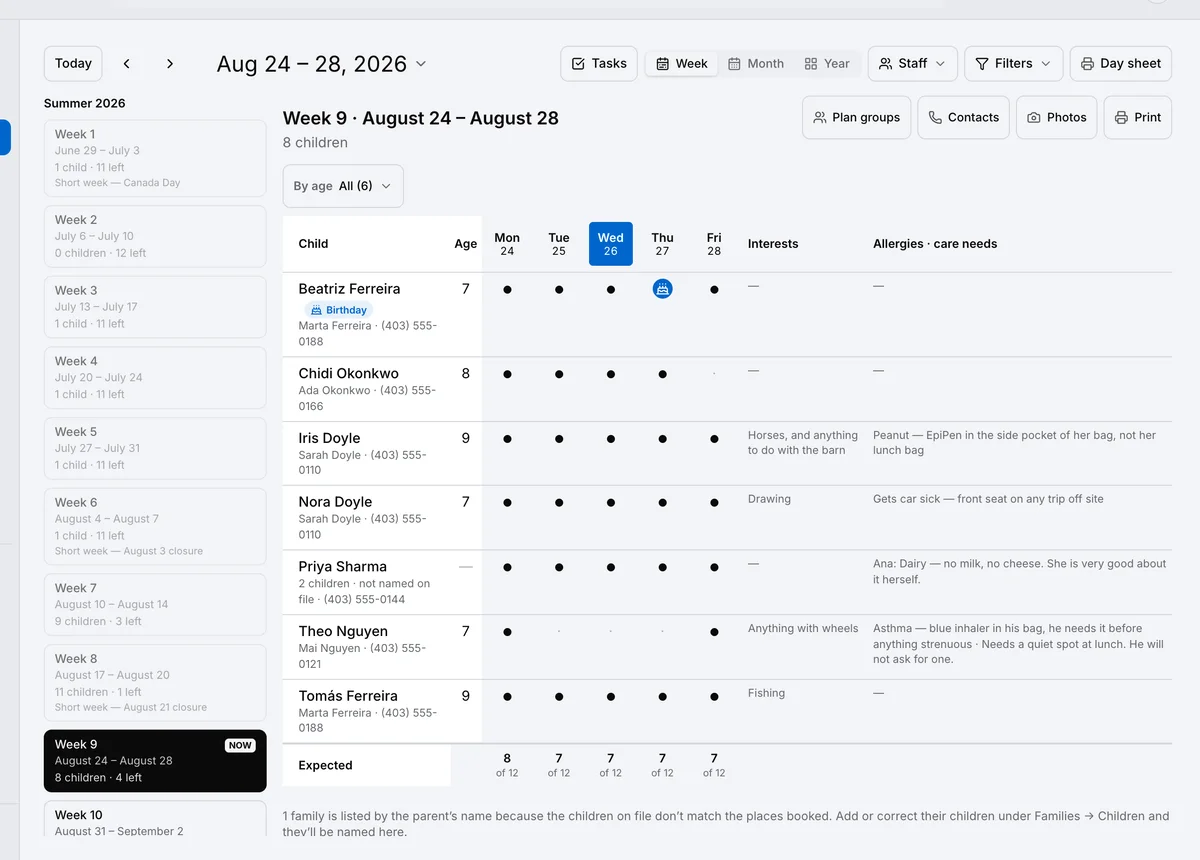
Sports & recreation
Classes in terms, with their places and waiting lists. Your own levels and skills, ticked from the register — and coaches and instructors free, with the app on their phones.
Daybook for Sports & recreation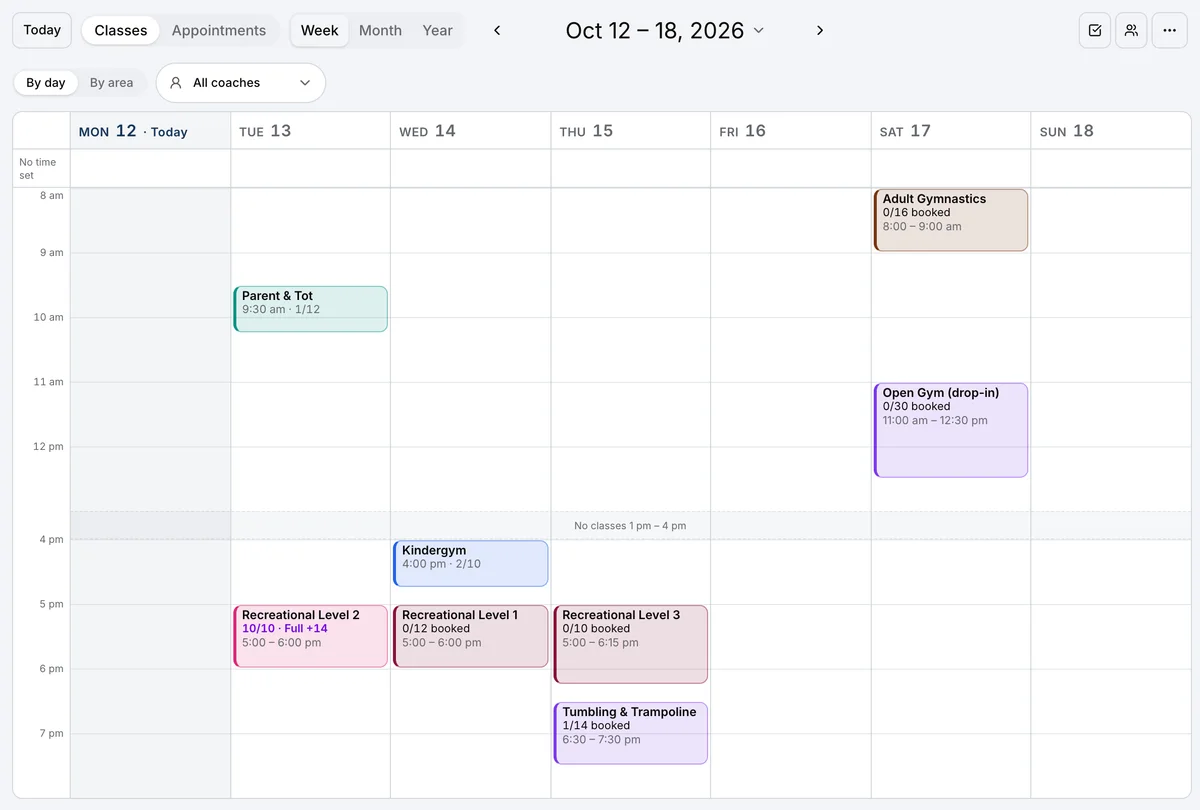
Property management
Buildings and units, leases and the rent roll, in one place. A renter’s repair becomes a work order, approved within the owner’s limit — and billed to the owner.
Daybook for Property management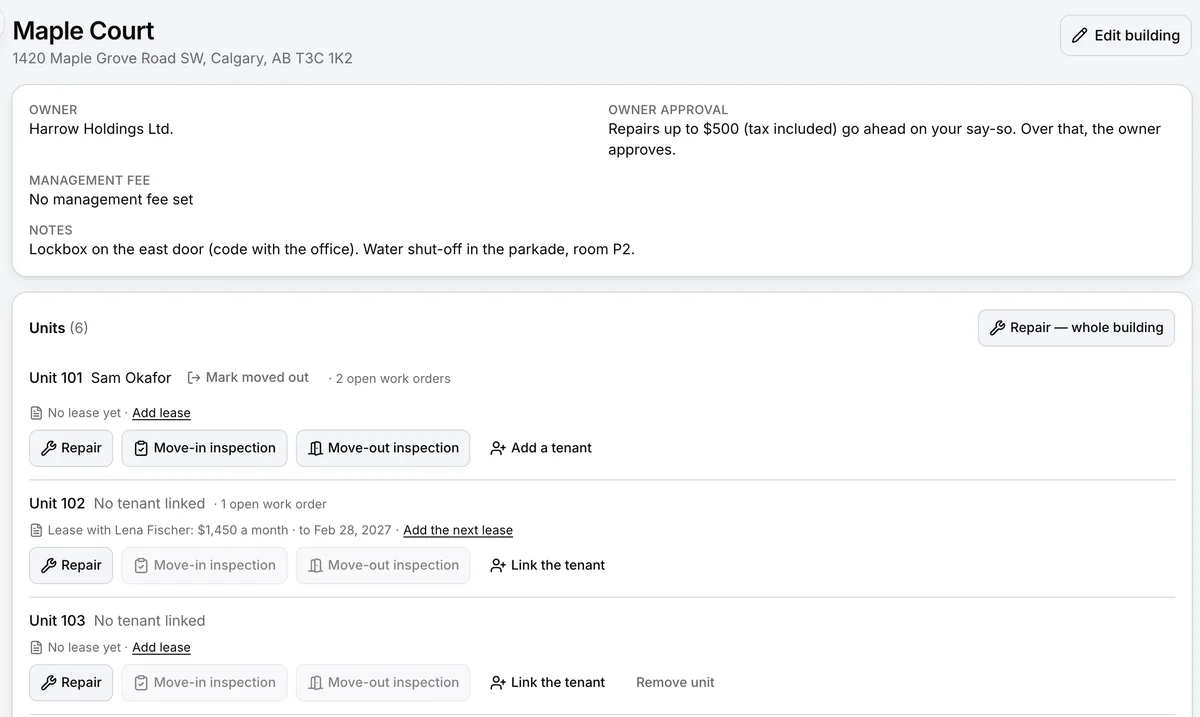
Highlights
Small things that give you hours back.
-
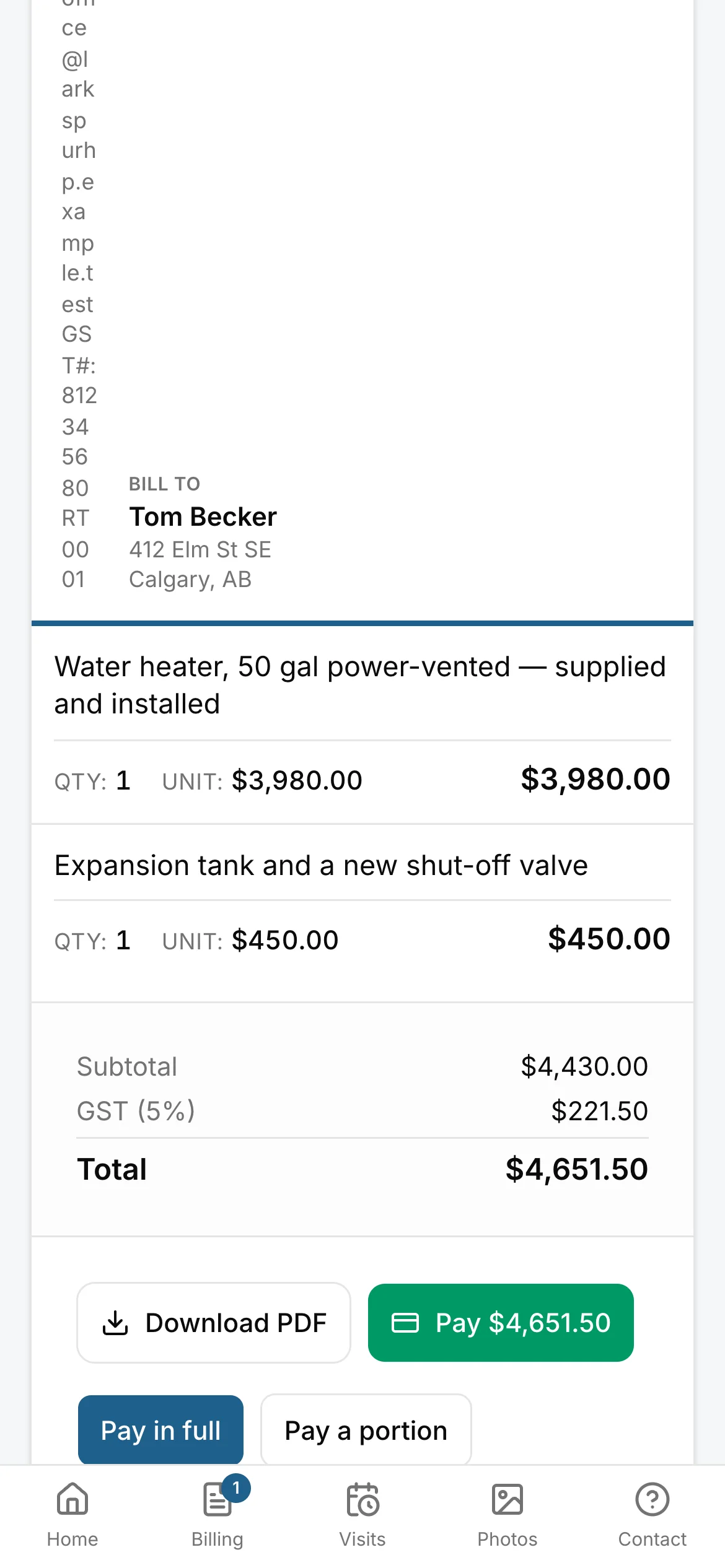
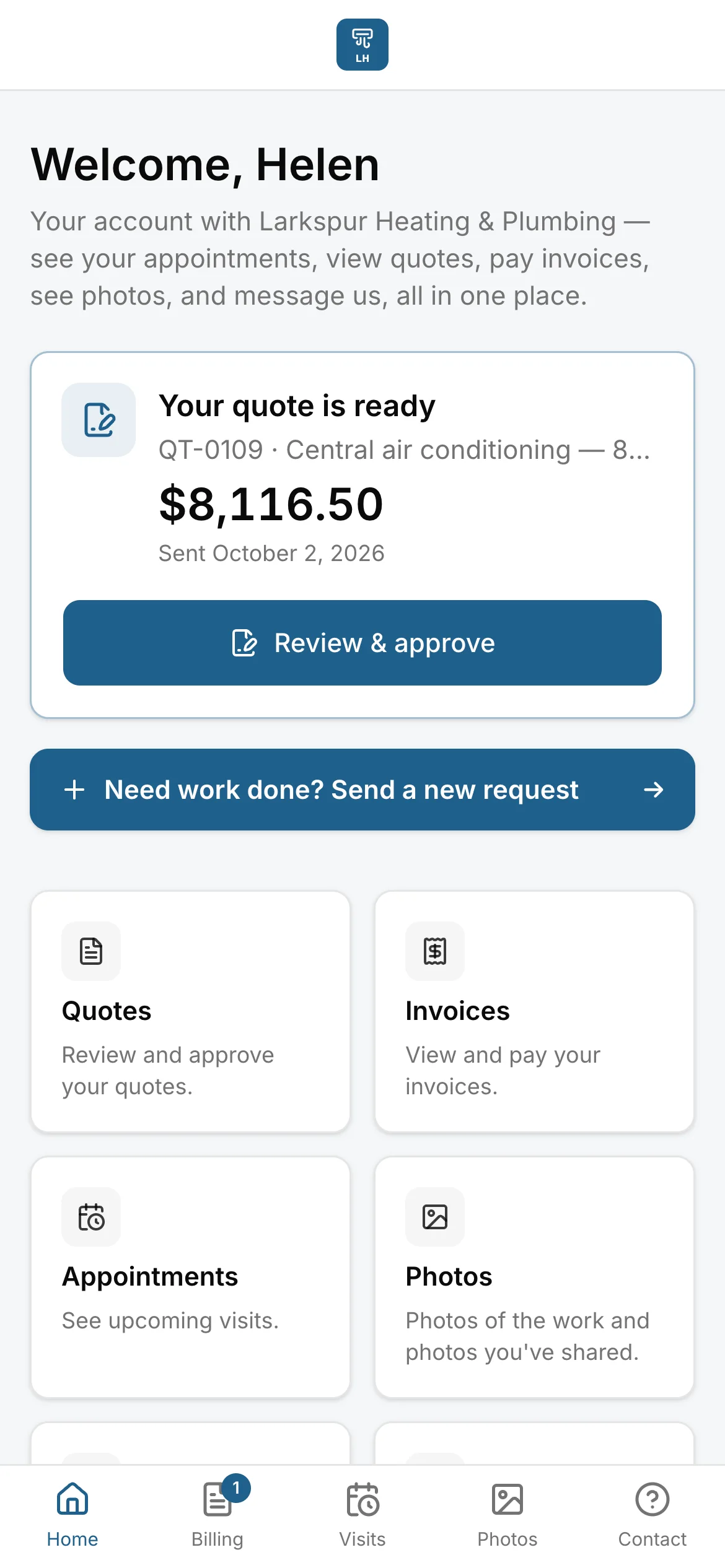
Their own page
Clients check it and pay it themselves.
-
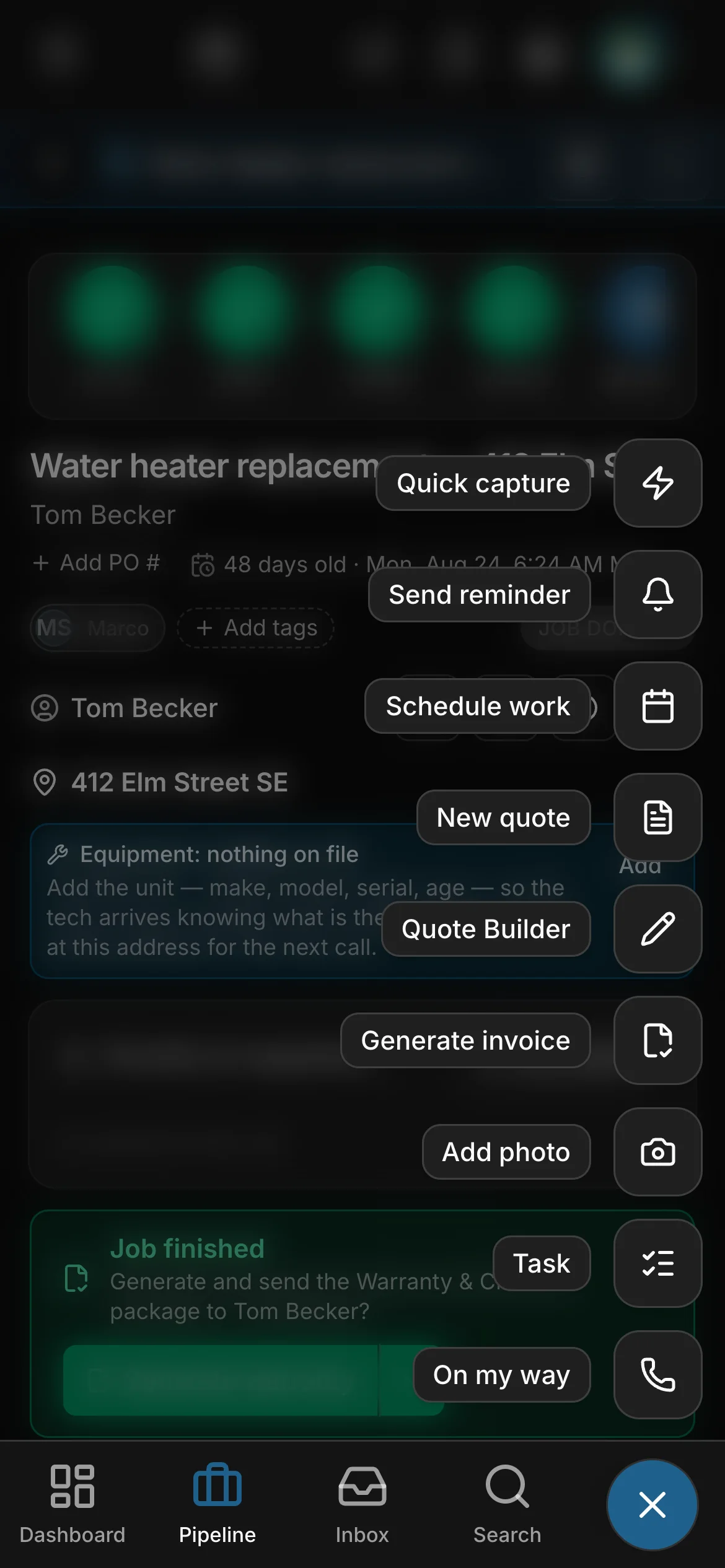
The +
One button that knows the page you’re on.
-
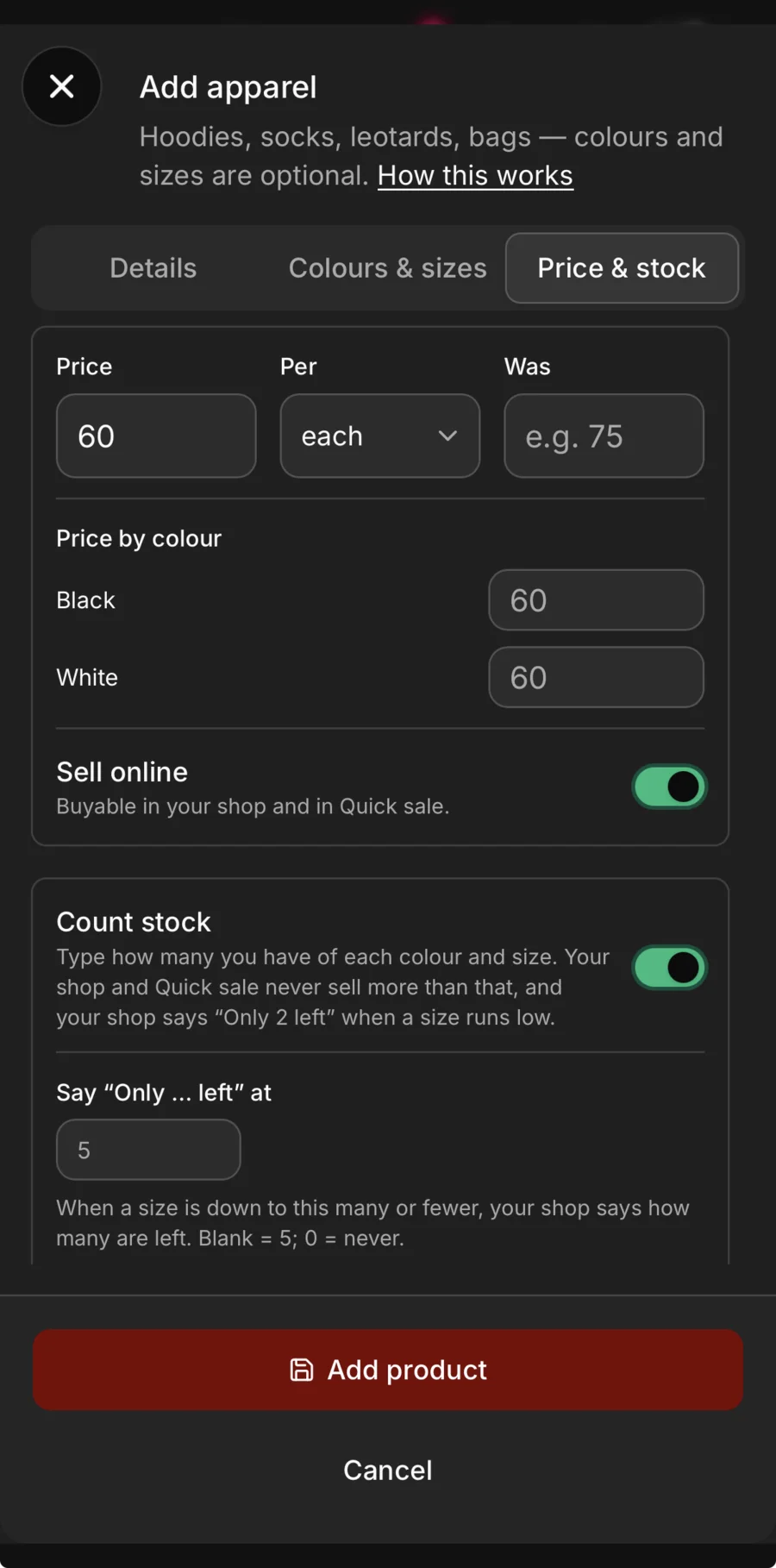
Your shop
Sell it online. Never sell what you don’t have.
-
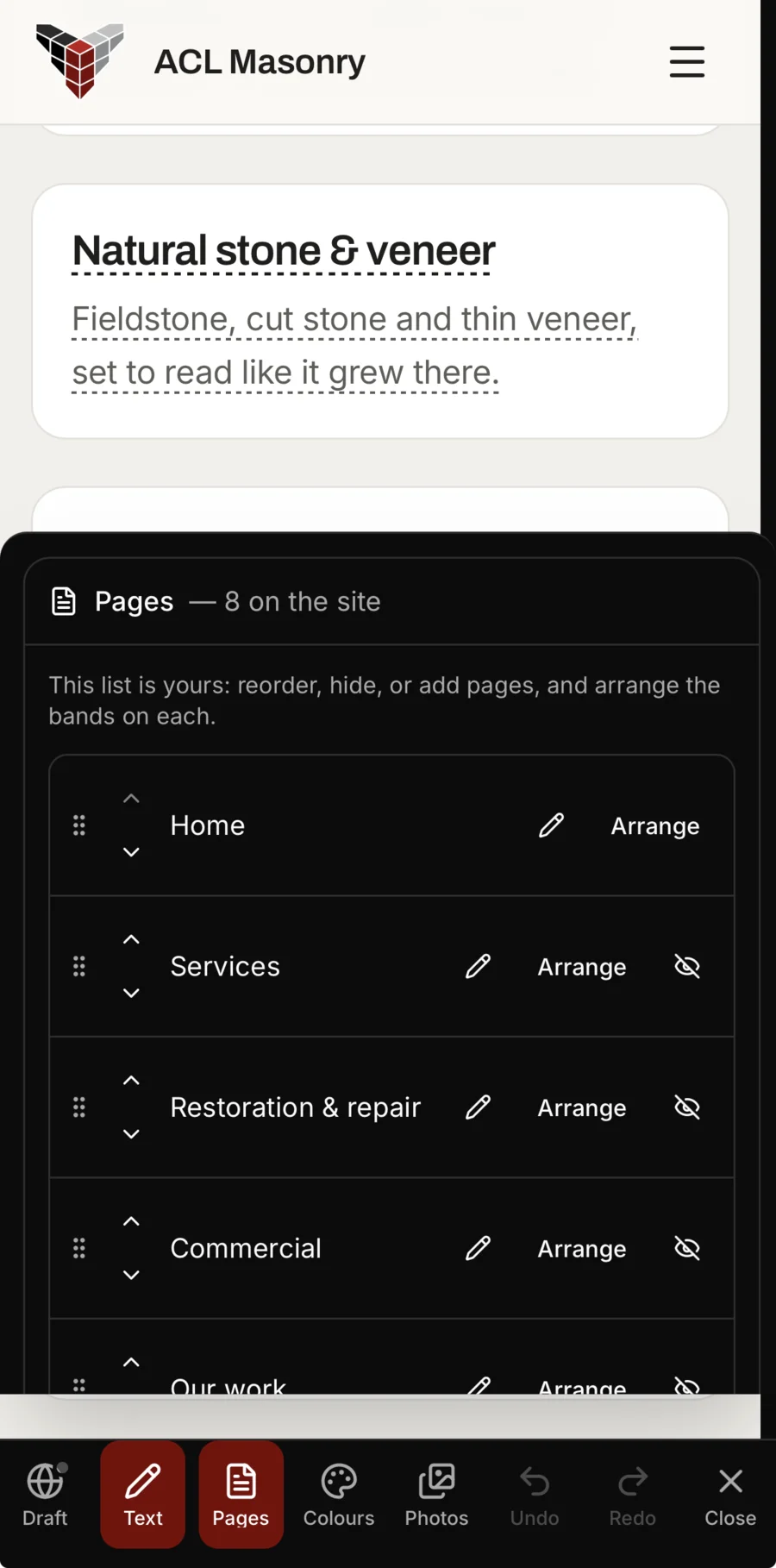
Your website
Your website, changed from your phone.
-
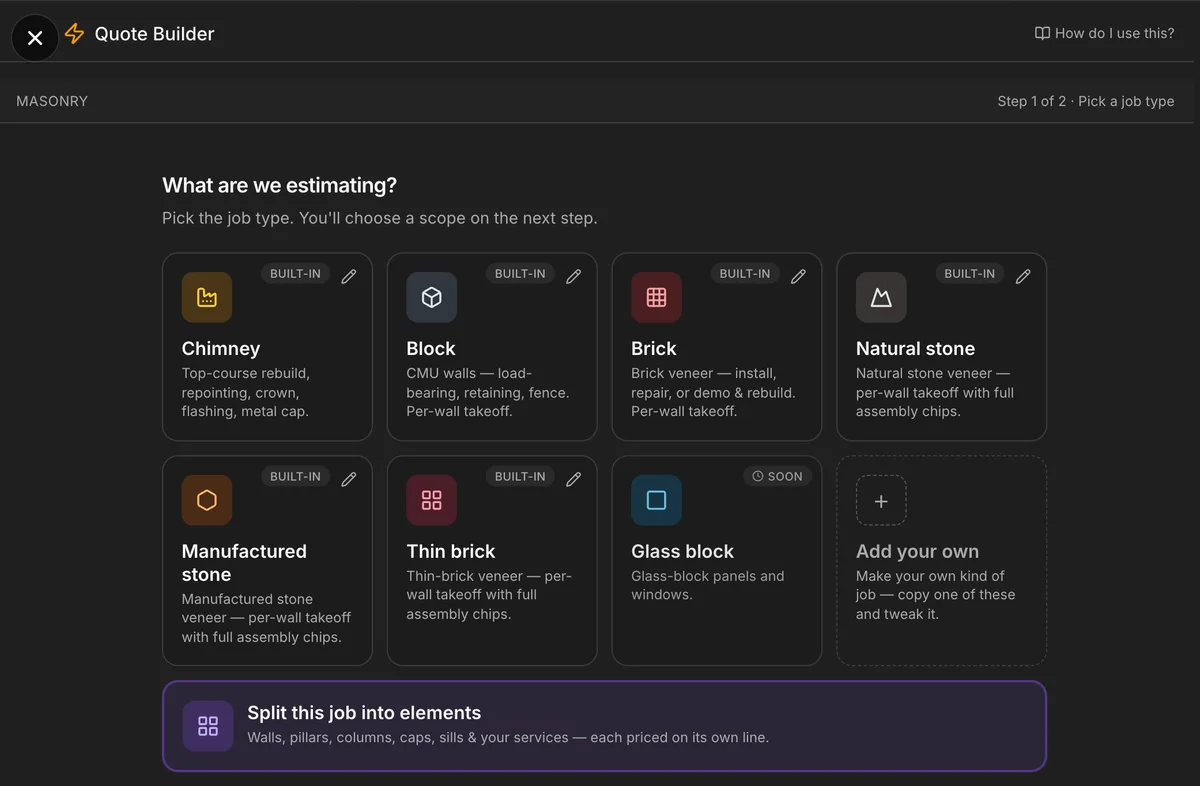
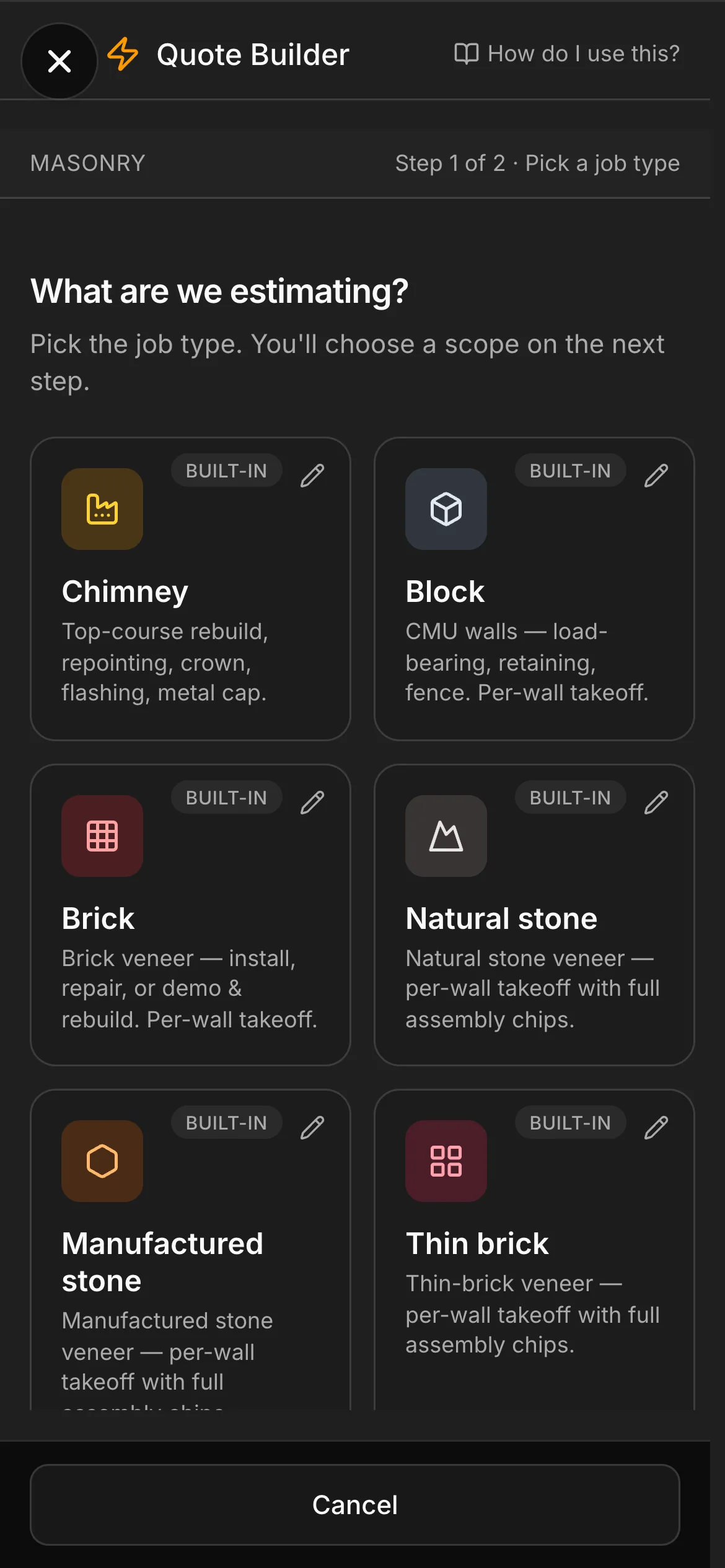
The Quote Builder
Pick the job, put in what you measured. It prices the job. Trades
-
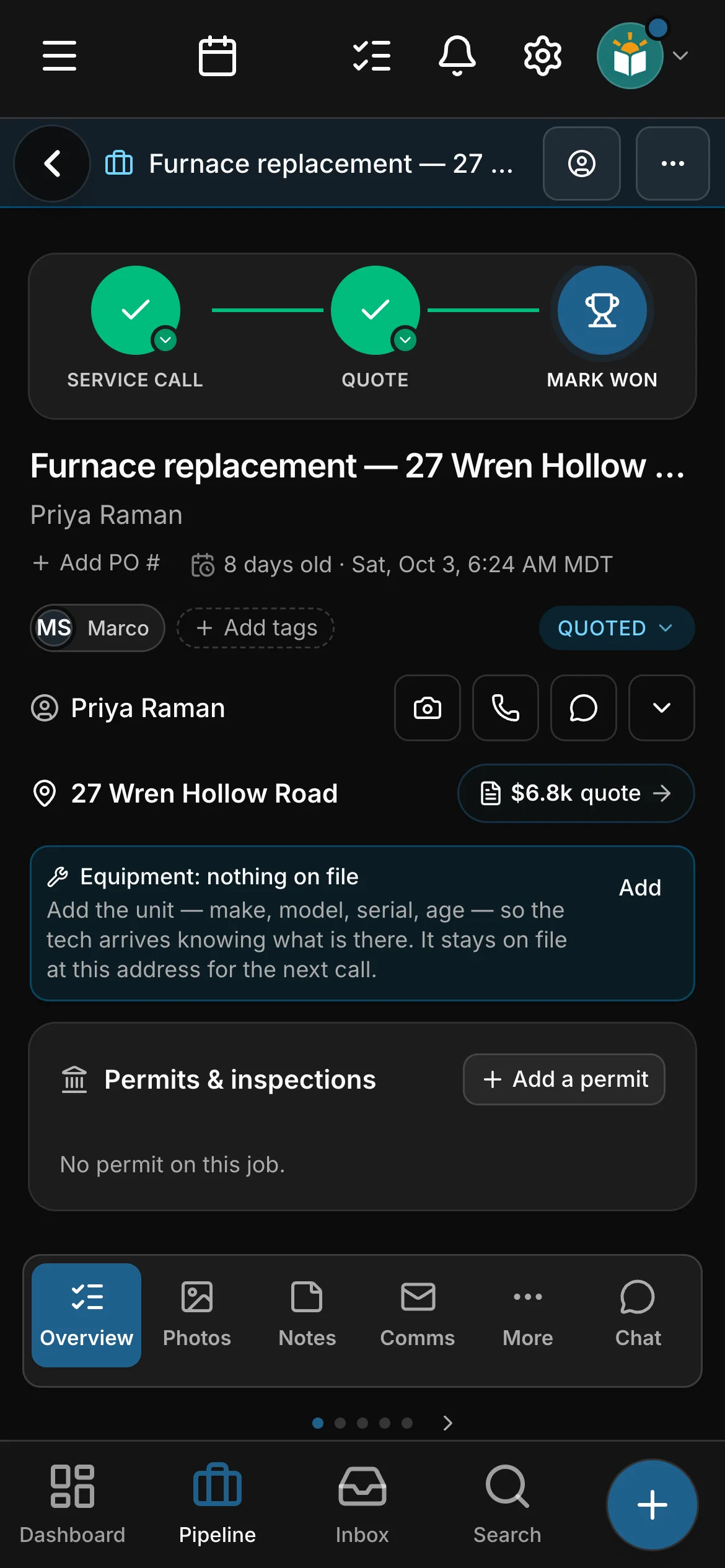
Every job, step by step
Where every job stands, and the next step one tap away. Trades
-
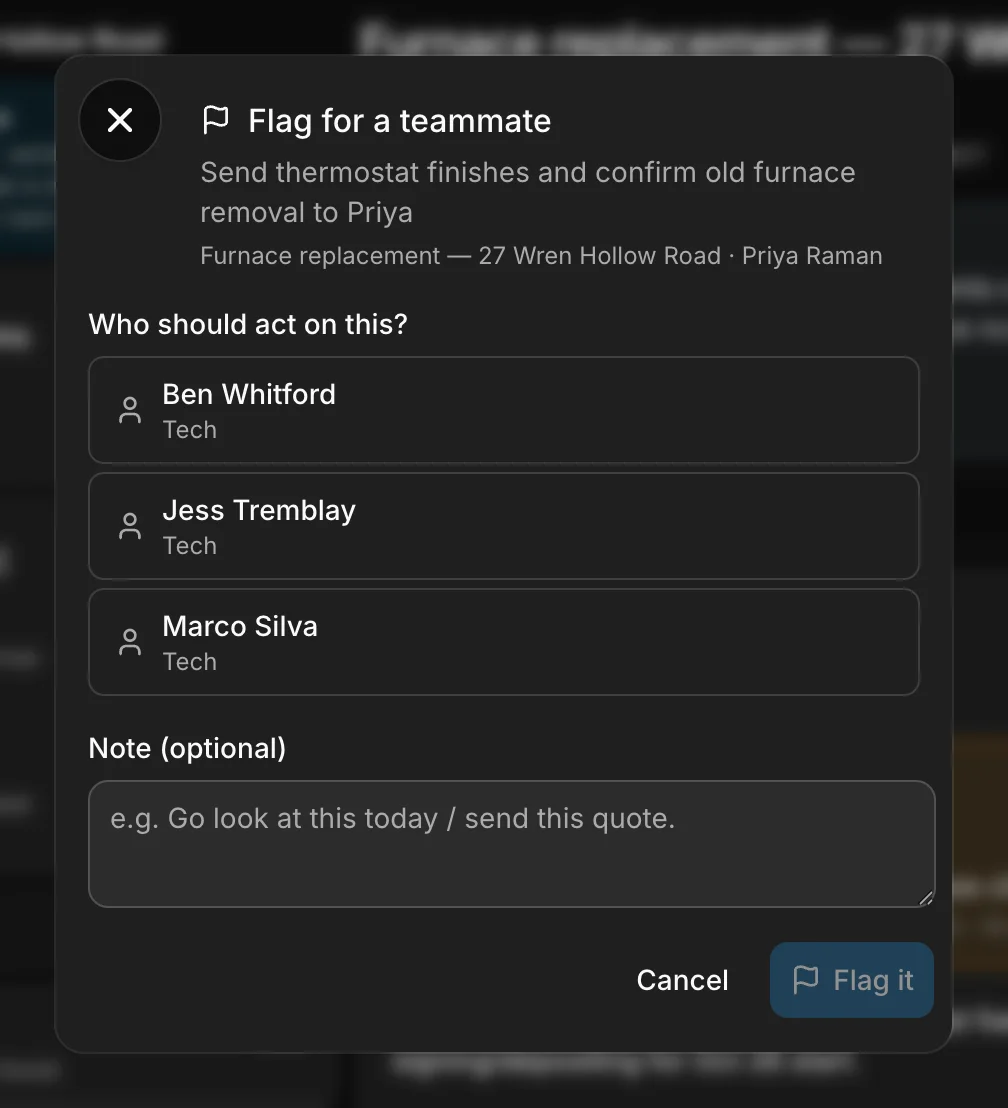
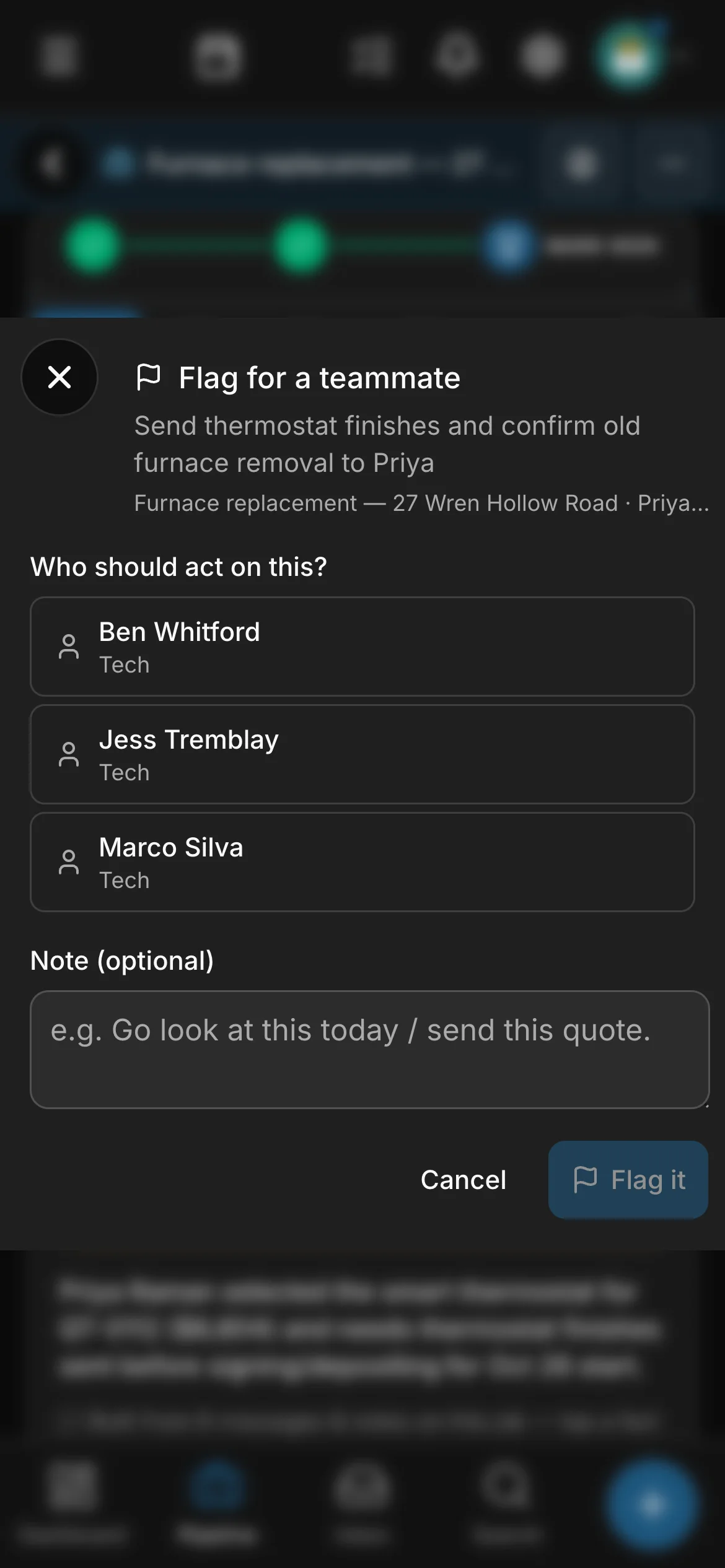
Flag a teammate
Hand it to the right person, with a note.
-
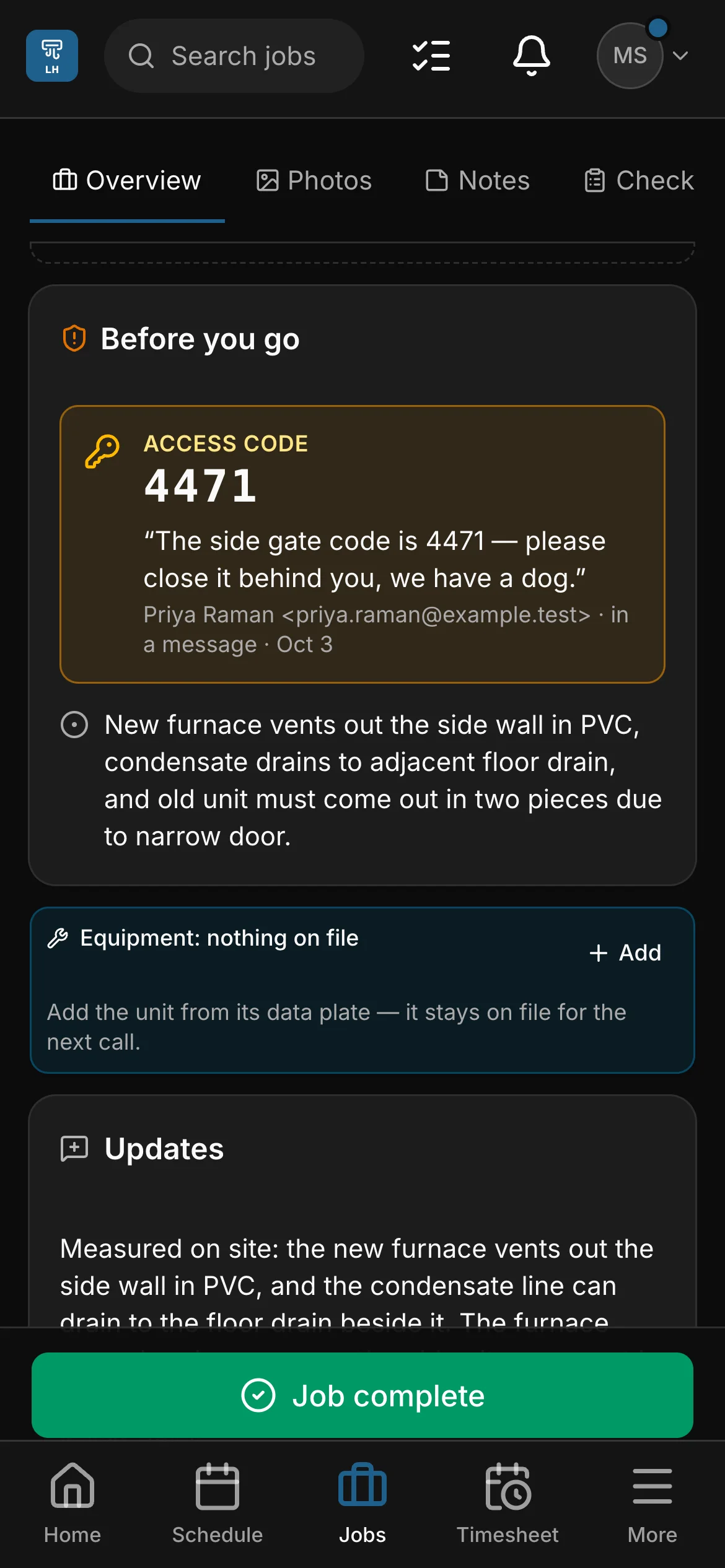
Before you go
The gate code, on the crew’s phone before they knock. Trades
One app for the whole business — the schedule, every conversation and the money, for the people on site and the person at the desk. A trade quotes the work and sends its crews; a daycare keeps its week board and its families; a camp takes its registrations and signed waivers. The same app, in your words.
1 of 3 · A normal week
One job. Everyone talking at once.
The customer texts. The crew sends photos and an update from the site. The office writes back, books the visit and sends the quote. It all happens at the same time, in different places.
2 of 3 · One place
Daybook catches all of it.
Every text, email, photo, note and update from the crew lands on the job it belongs to, as it happens. Nobody forwards anything.
3 of 3 · The brief
And turns it into one brief you can act on.
The brief reads what is on the job and tells you where it stands: the gate code, the deadline, what the customer asked for, what you owe them and what they owe you. One tap starts the text, the email, the booking or the reminder. It drafts; you send.
Texting comes with the top plan of every rate card (Company, for a trade), from a verified toll-free number of your own.

A real capture of a contractor’s job. Daybook wrote every line of this brief from the messages on the job; only the five teal labels are added. A camp gets the same brief on a booking, a property manager on a work order.
1 of 3 · A normal week
One job. Everyone talking at once.
The customer texts. The crew sends photos and an update from the site. The office writes back, books the visit and sends the quote. It all happens at the same time, in different places.



- Our furnace keeps shutting offThe customer, by email
- Side-wall vent. Narrow doorThe crew, from the site
- Your quote is attachedThe office, by email
- 3 photosThe crew, from the site
- Done before the 24th?The customer, by text
- Gate code 4471. Mind the dogThe office, to the crew
- Checklist doneThe crew, from the site
2 of 3 · One place
Daybook catches all of it.
Every text, email, photo, note and update from the crew lands on the job it belongs to, as it happens. Nobody forwards anything.
3 of 3 · The brief
And turns it into one brief you can act on.
The brief reads what is on the job and tells you where it stands: the gate code, the deadline, what the customer asked for, what you owe them and what they owe you. One tap starts the text, the email, the booking or the reminder. It drafts; you send.
-
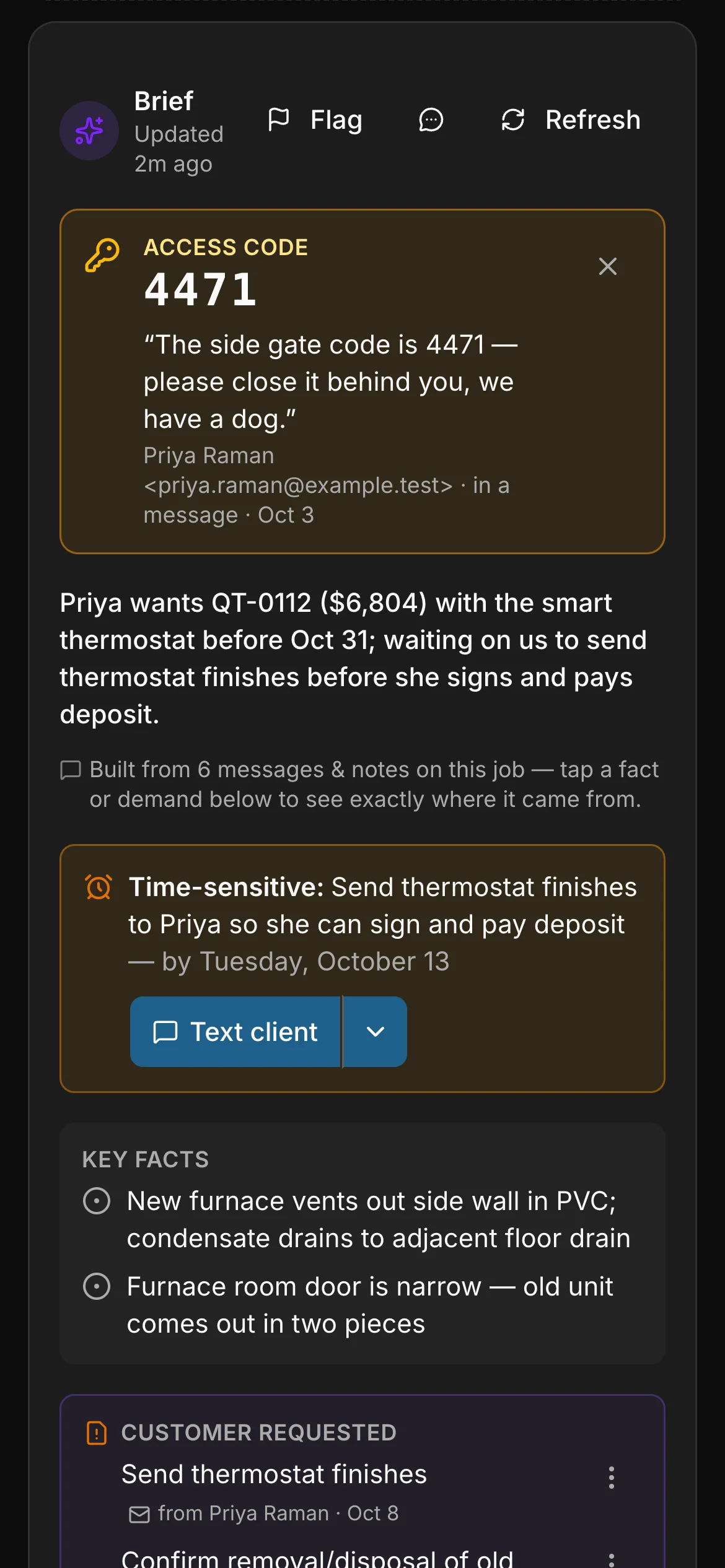
The gate code, pinned. Said once in an email, and now at the top of the job for the crew.
-
The deadline. What is time-sensitive, and by when.
-
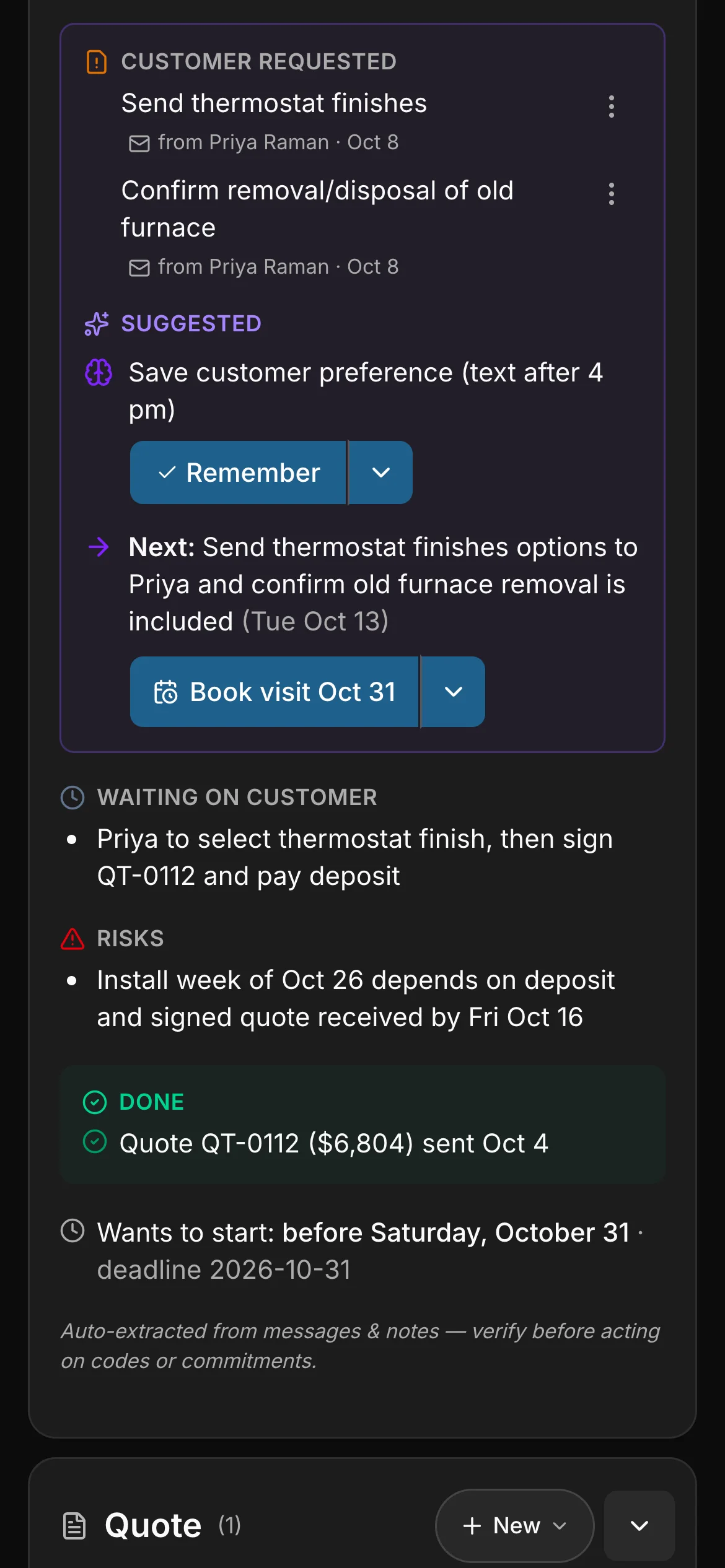
What the customer asked for. Each request, with the message it came from.
-
What we owe, and the next step. One next step, and a button that starts it.
-
What the customer owes. So nobody chases the wrong person.
Real captures of a contractor’s job. Daybook wrote every line of this brief from the messages on the job. A camp gets the same brief on a booking, a property manager on a work order.
Texting comes with the top plan of every rate card (Company, for a trade), from a verified toll-free number of your own.
The Assistant
One list of what needs you today.
Who is waiting on you, what is owed, which lead to call back — most pressing first, each with the button that does it. What a brief says you owe a client becomes a line in the list. It opens from any page.
-
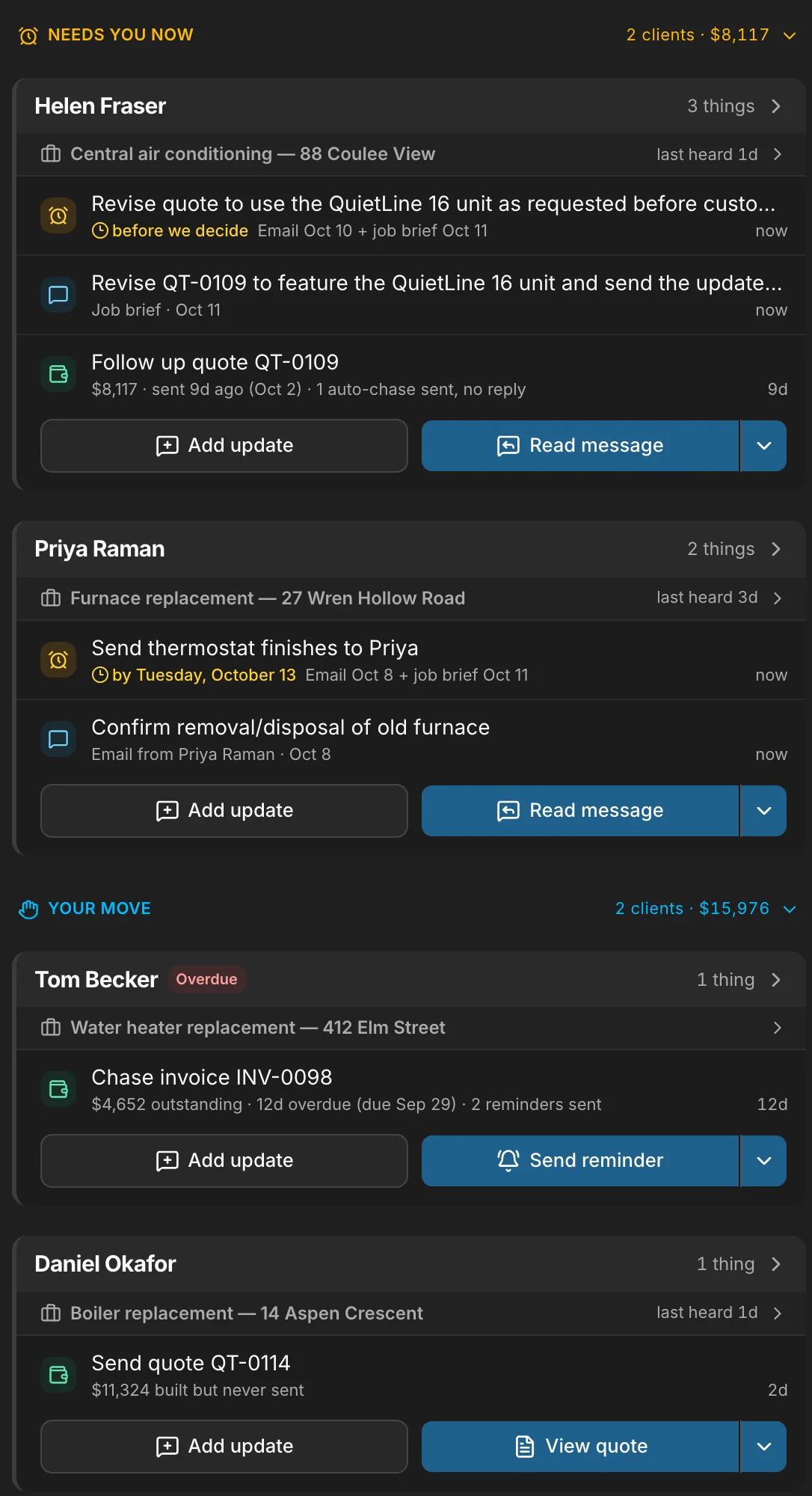
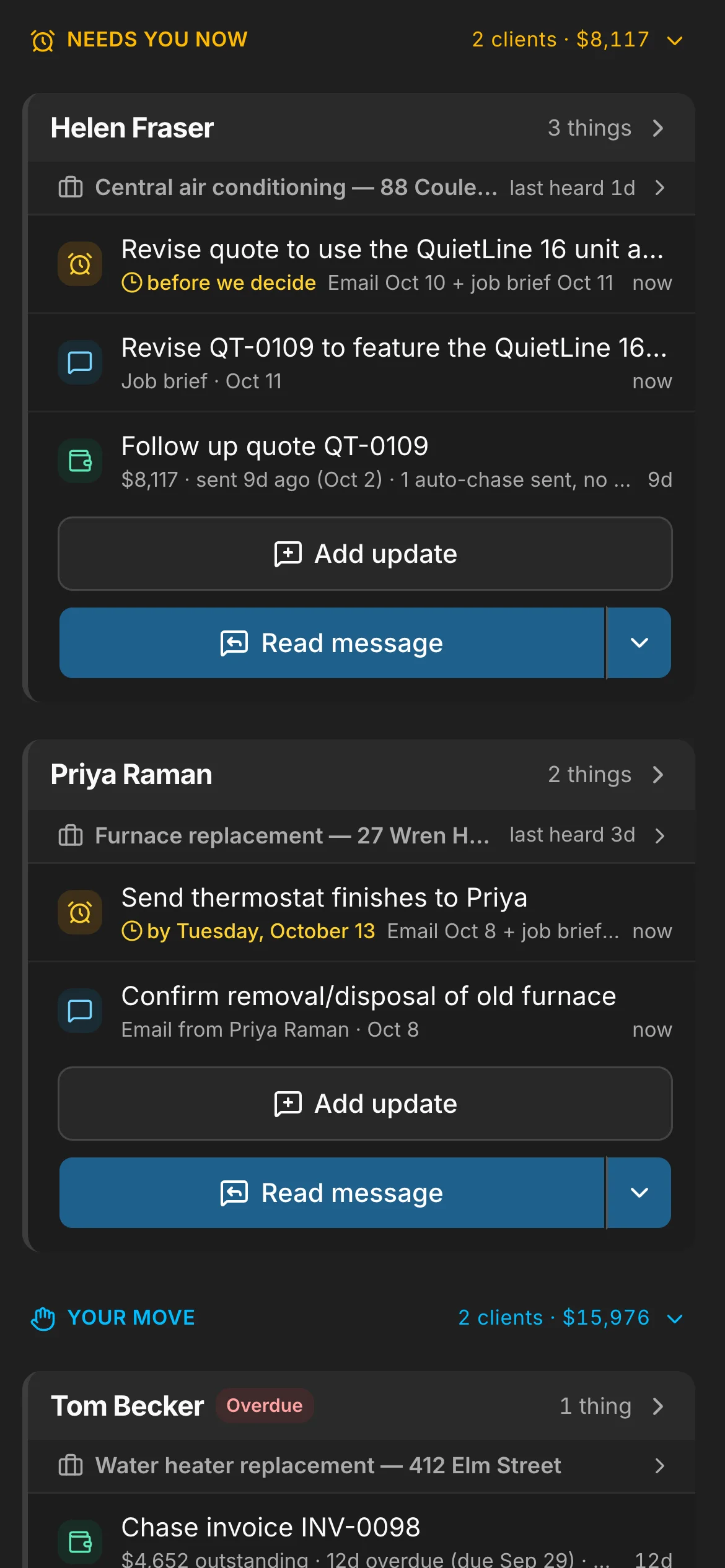
One list. Who is waiting on you, what is owed and which lead to call back — most pressing first.
-
Priya Raman · email“The side gate code is 4471 — please close it behind you, we have a dog.”
The brief. Here on a contractor’s job: the gate code, where it stands and what the client asked for, read from its emails, texts and notes.
-
- Draft a reply
- Send reminder
- Add task
- Book visit
- Text client
- Remember
- Add update
Each one a tap. Draft the reply, send the reminder, add the task, book the visit — from the line it’s on. It never writes to your client by itself. Trades
Why Daybook
Built in Prince Edward Island. Priced in CAD.
-
Toronto
is where your database lives — Canadian-hosted, encrypted in transit and at rest, every business its own account.
-
GST · HST
by province, on every invoice and in the Sales Tax report — built into the ledger, not bolted on.
-
$0
per field seat on Crew and Company. Coaches, counsellors and maintenance crews are free on every club, camp and property plan.
-
CAD
on every plan and every add-on, printed on the pricing page.
-
In the field
Built inside a working masonry company in Calgary — crews out every working day — and run from Prince Edward Island.
Every conversation
Every message, filed where it belongs.
Email, texts and what clients send from their own page land in one inbox, and mail from a client’s address is filed on that client by itself. Anything still waiting on your reply goes on the Assistant’s list, and a teammate you flag sees it on their dashboard until it’s done.
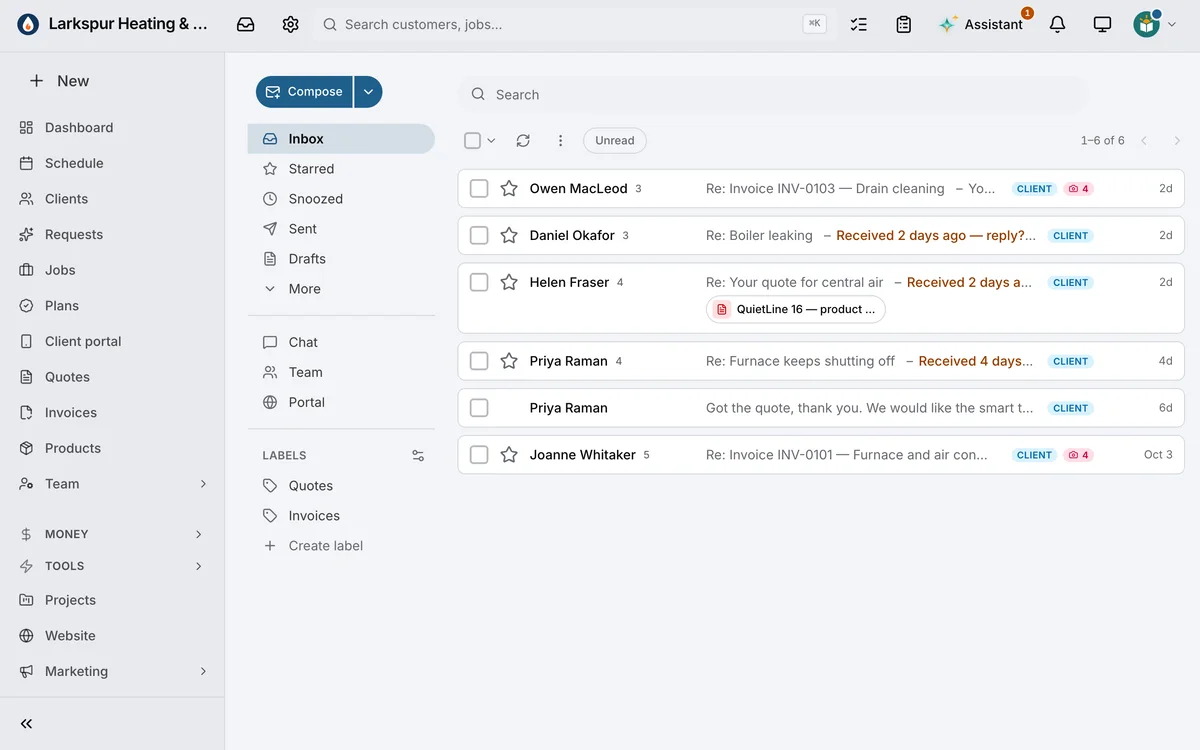
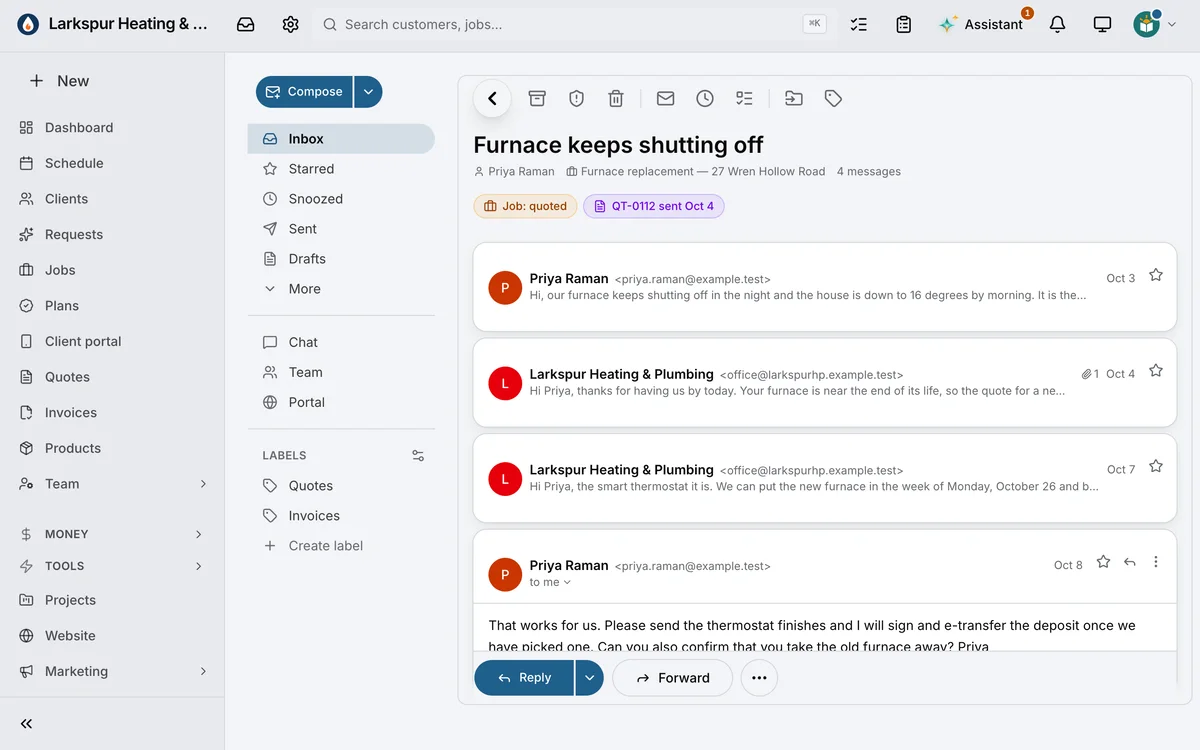
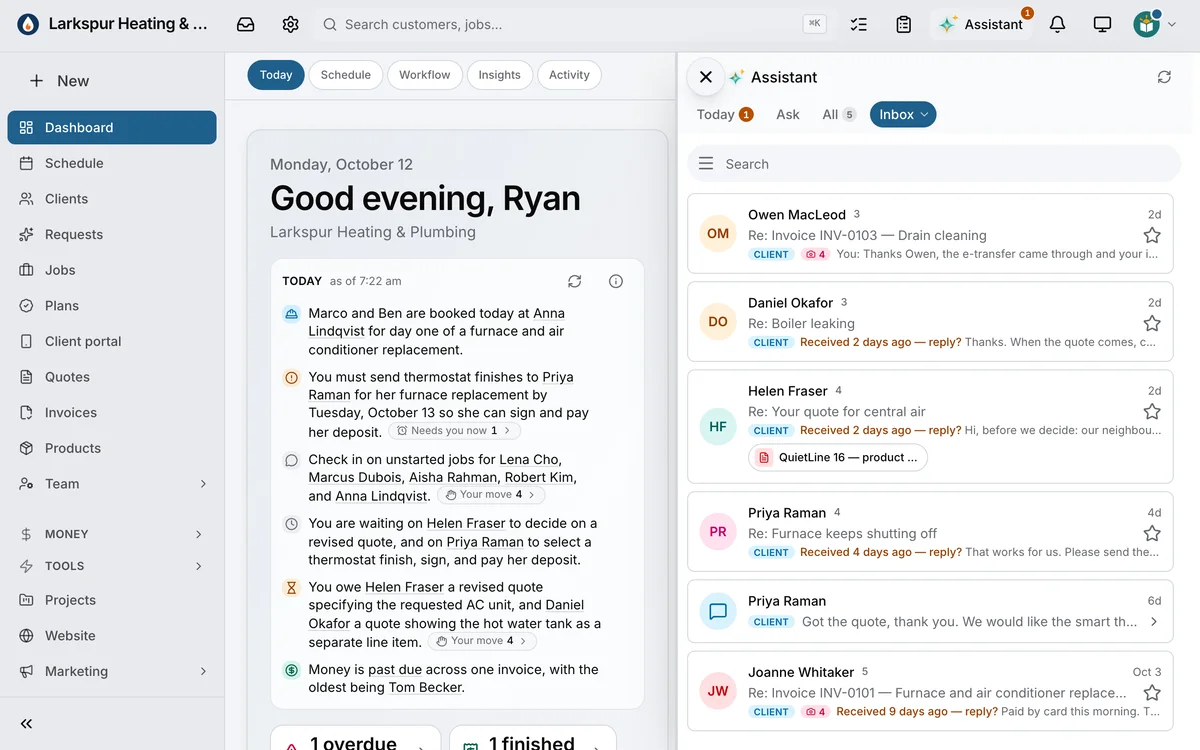
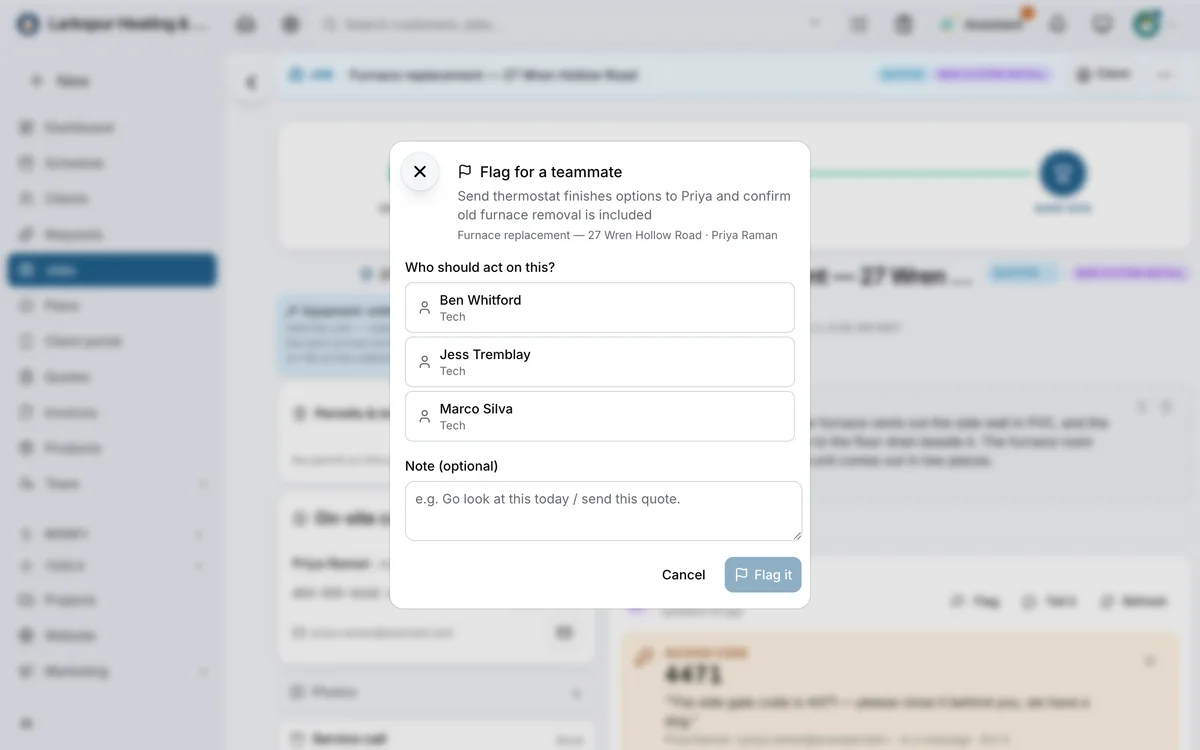
One inbox. Every conversation newest first — email from a client’s address filed on that client by itself.
On the job it’s about. The whole conversation with the job and its quote above it, and a reply that’s yours to send. Trades
Your inbox, beside your list. Every conversation in the Assistant’s panel, each marked as a client’s, with a nudge on the ones waiting on a reply.
Flag it for a teammate. Pick who should act on it and add a note — it lands on their dashboard and their phone.
Capture
Stop retyping what clients send you.
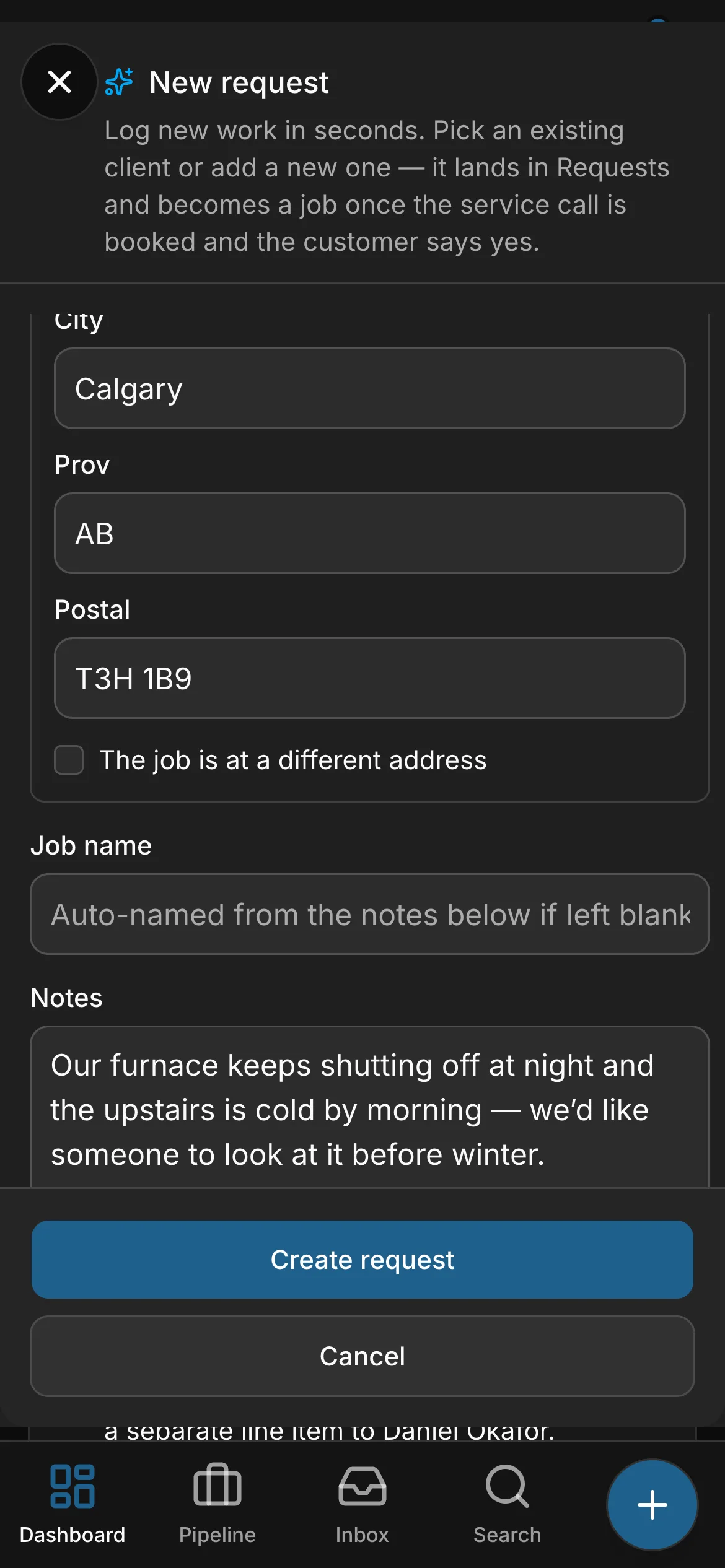
Paste a message, or snap a business card or a screenshot, and the new client fills itself in for you to check. On a phone, the + on every screen offers what that page needs next.
- Paste text, or snap a business card or a screenshot
- Name, phones, emails and the address filled in for you to check
- Nothing is saved until you press Create
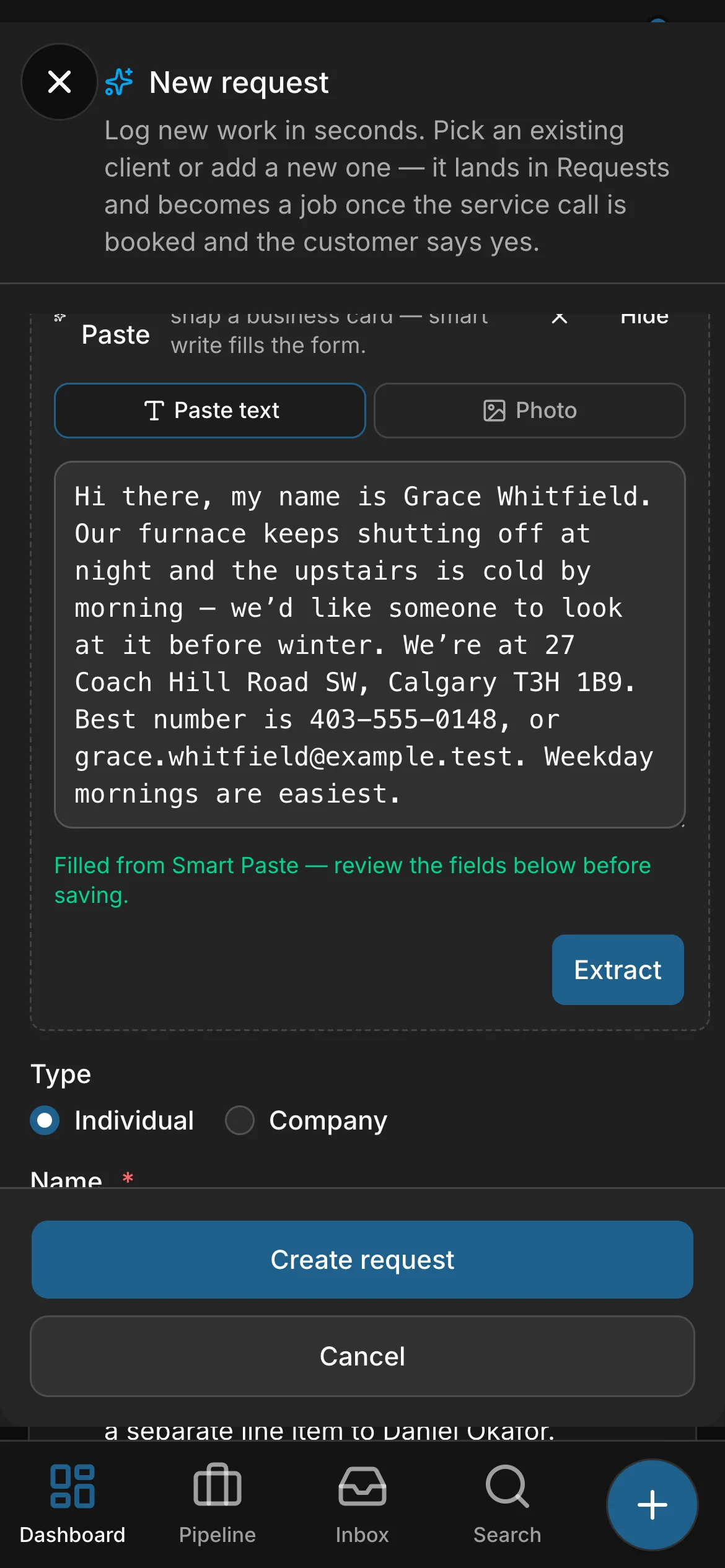

Wherever you are
Your whole business, wherever you are.
- The schedule, every conversation and the money, in one app.
- At the desk in the office.
- On the laptop at home, or the phone in your pocket.
The schedule
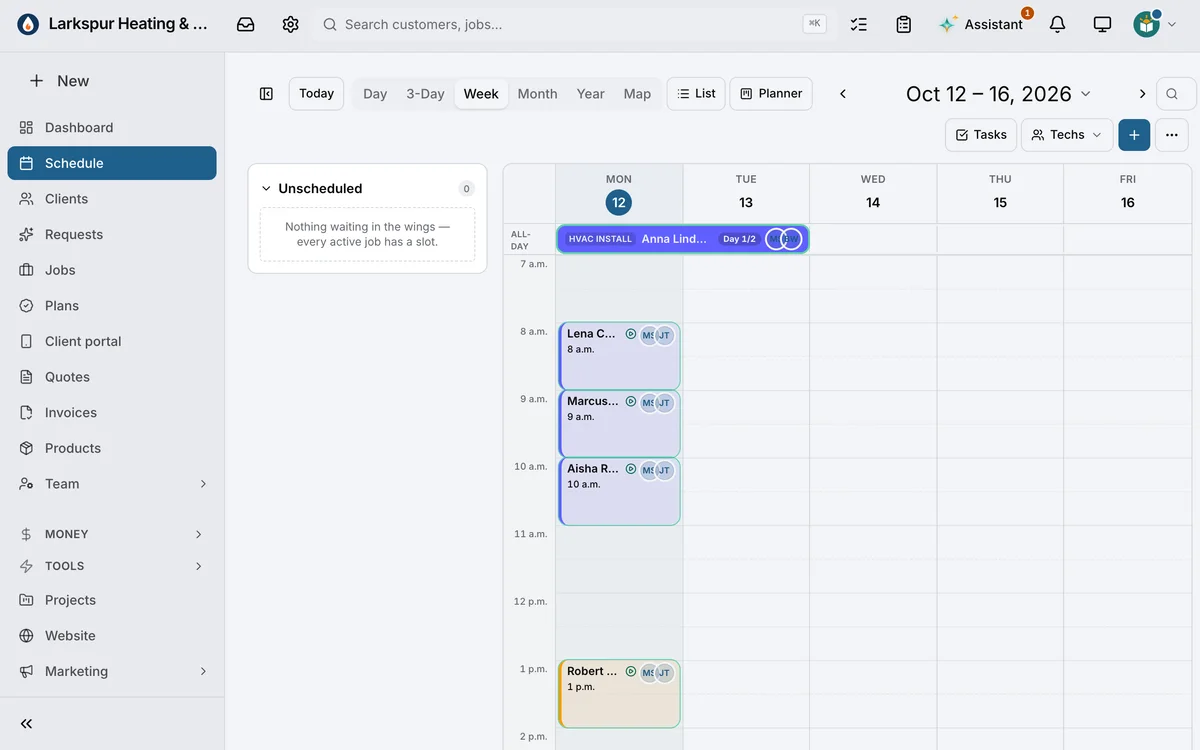
Six views. One calendar.
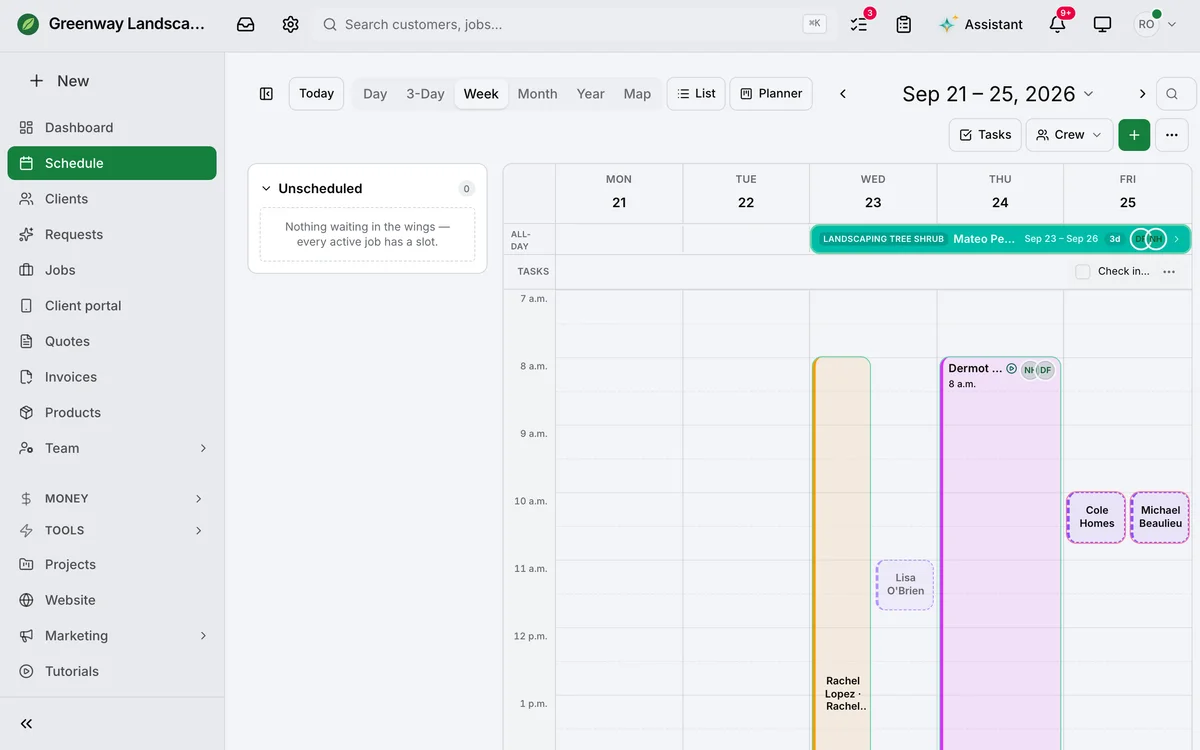
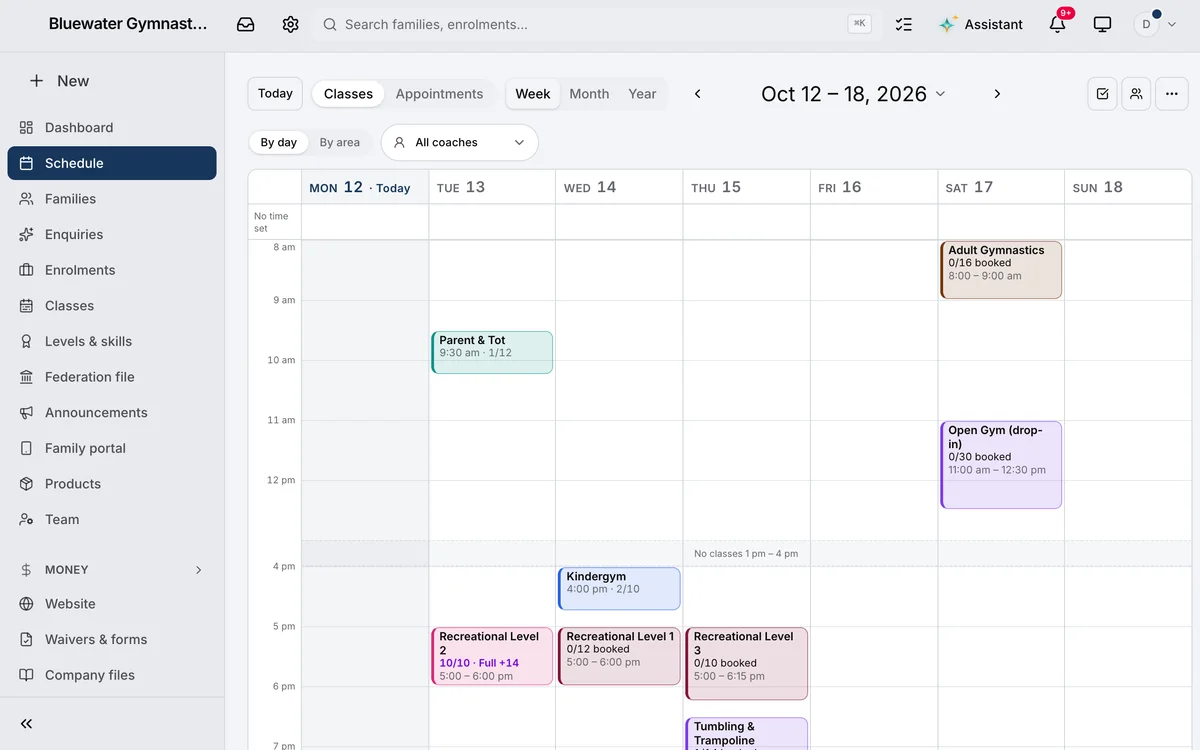
Day, week, month, the map, the dispatch board and the action list — six views of one calendar, so the office and the field are looking at the same picture. Everything you take on has a date.
-
01
The week.
Everything booked, on its day and its hour, with who is on it.
-
02
Every crew, side by side.
Each crew’s visits across the week — the office and the field looking at the same picture. Trades
-
03
A club’s classes, too.
Each class on its day with how many are booked — and when one is full, the families waiting.
Every screen
The same business, in every hand.
Daybook runs in the browser on a computer, a tablet or a phone, and installs to a phone’s home screen like an app. The office and the field look at the same records, as they change.
-
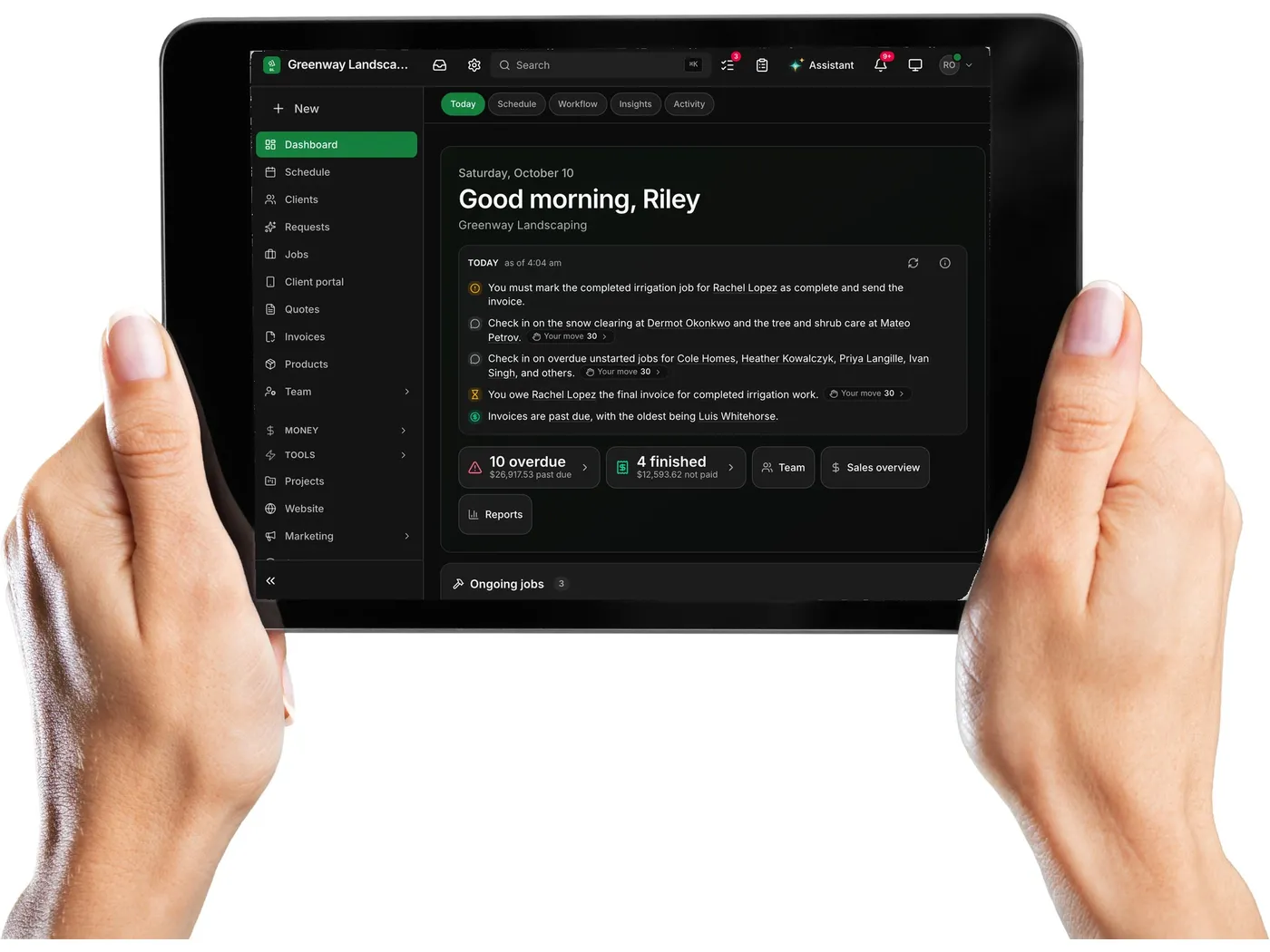
The office, on a tablet. The same dashboard as the desk, today’s list first.
-
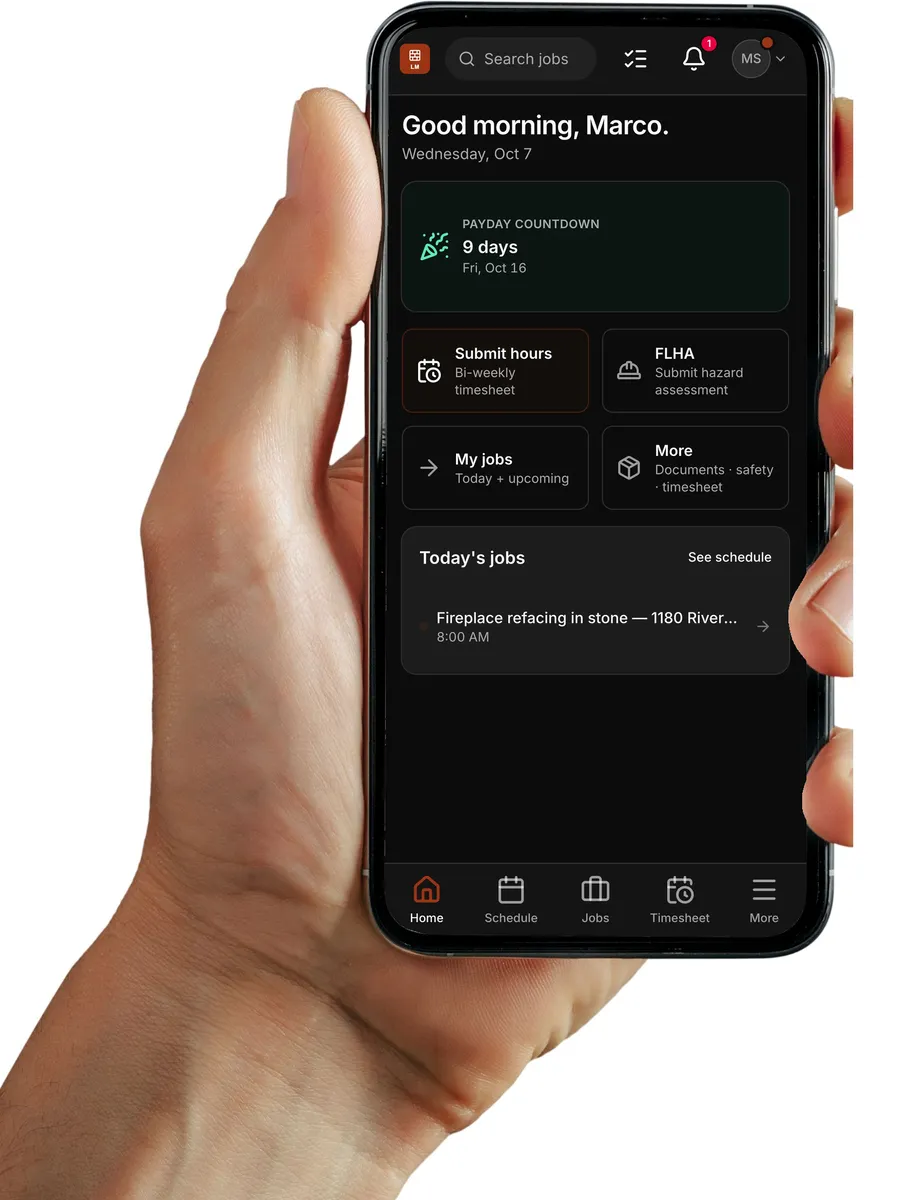
The crew’s day, on their phone. Their hours, today’s work and every job a tap away.

In the field
For the people doing the work.
- Field seats are free on Crew and Company.
- Coaches, counsellors and maintenance crews are free on every club, camp and property plan.
Field to office
What happened on site, already at the desk.
Clock-in, checklists and photos from the phone already in their pocket — with no signal, if it comes to that; it files itself when the signal returns. The office sees it the moment it lands.
-
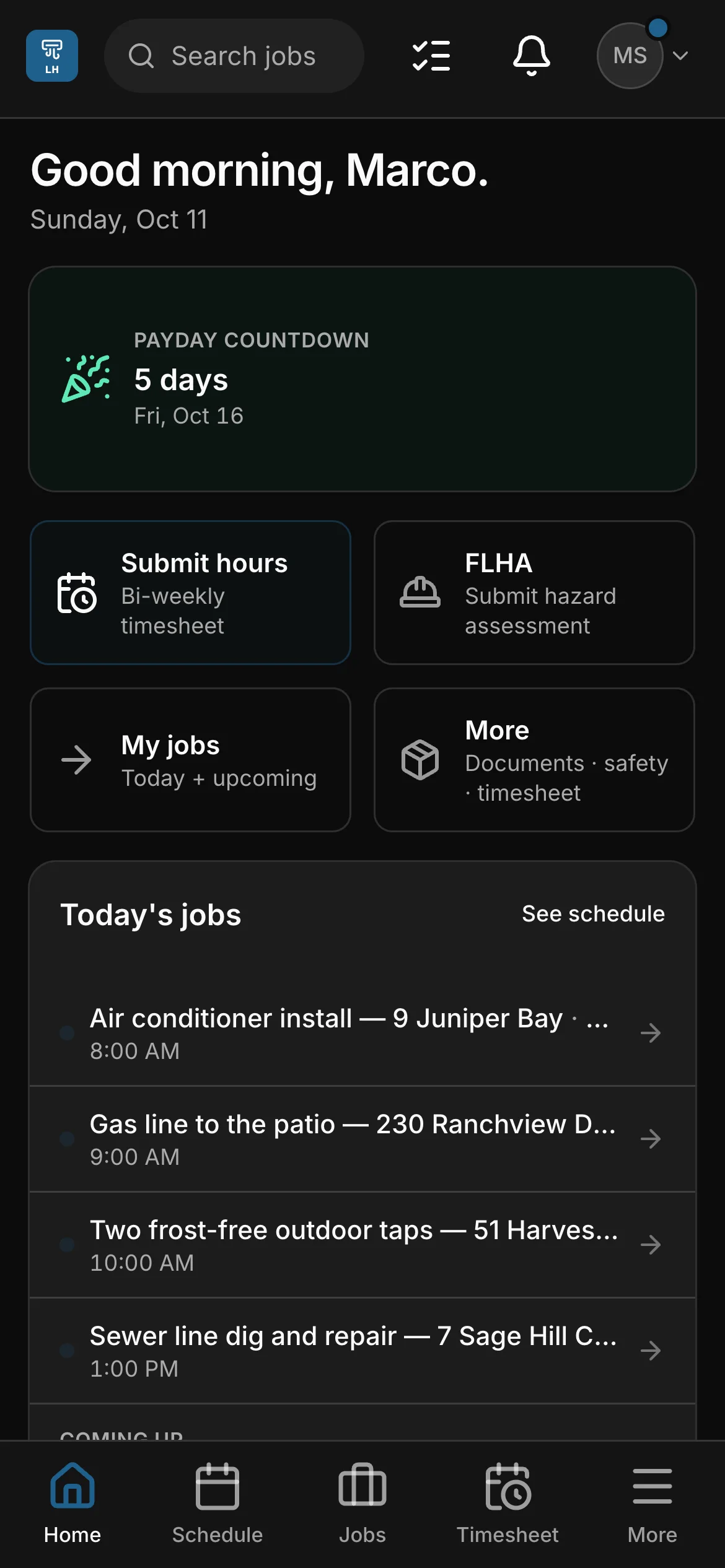
Their day. Their hours, today’s work and every job a tap away, on the phone already in their pocket.
-
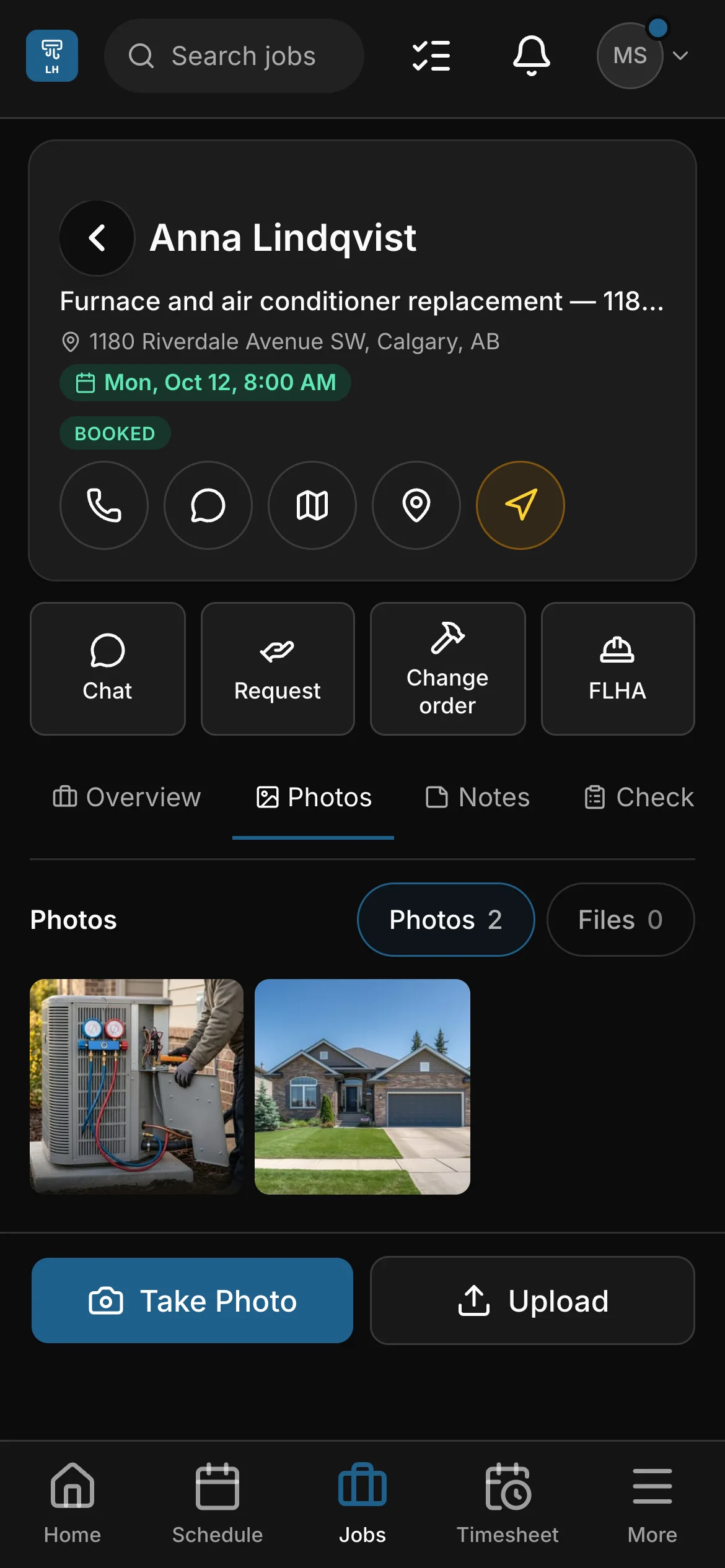
The job. Call the client or get directions, chat with the office, ask for materials or a change order, and add photos. Trades
-
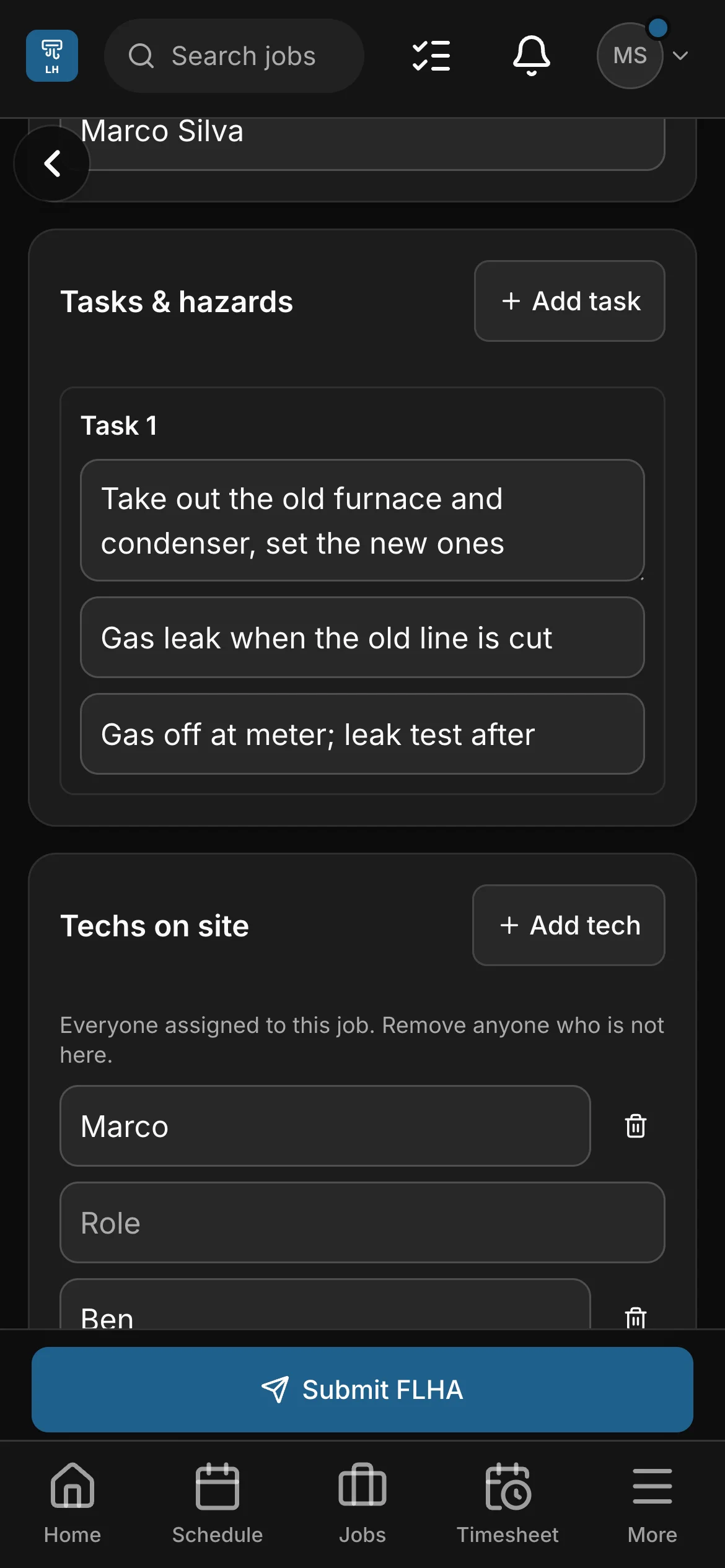
Safety first. The FLHA opens from the job with the site, the contact and the crew filled in. Trades
-
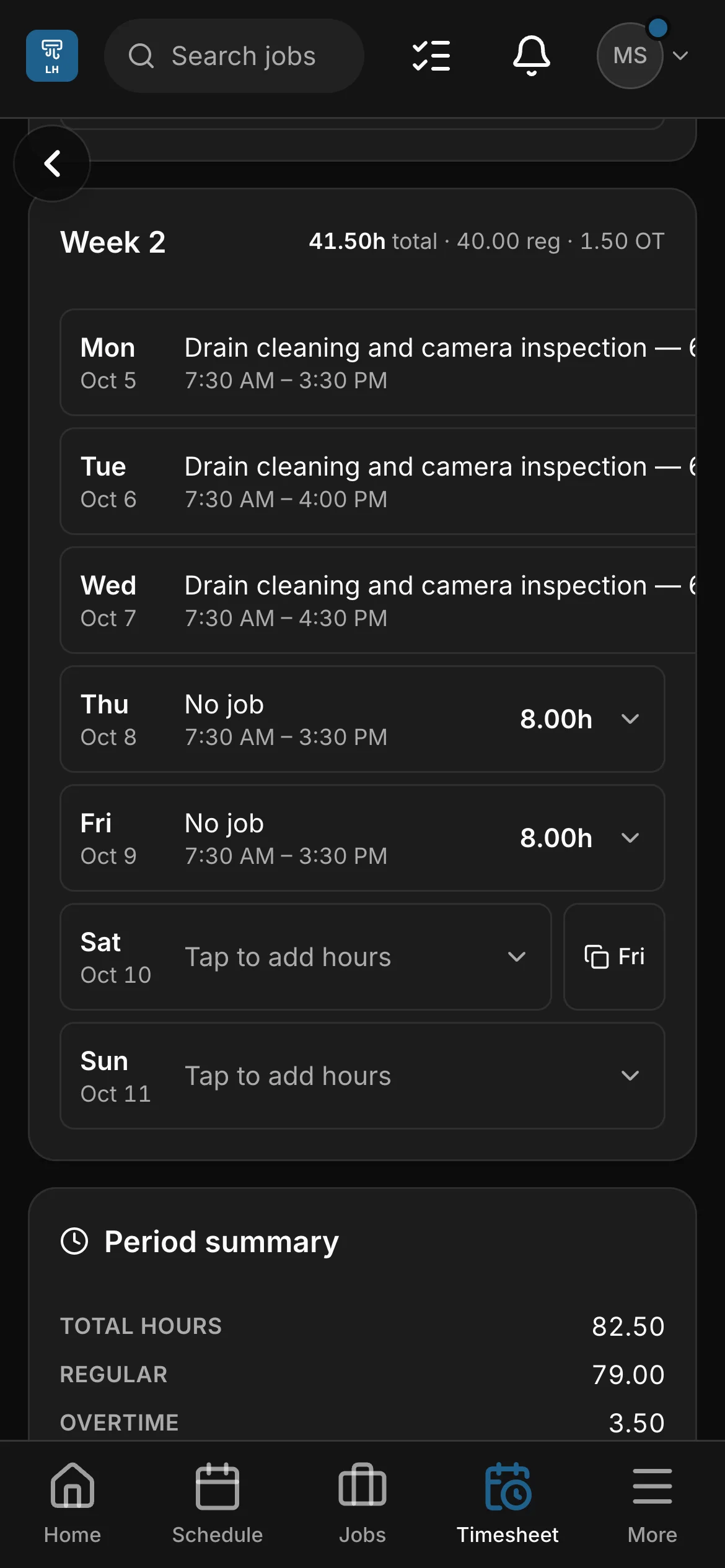
Hours in. Day by day for the pay period, overtime worked out by your rule, then submitted from the phone.
-
No signal? Clock-in, checklists and photos still work — and file themselves when the signal returns.

In the room
For the people in the room with the children.
- Daycare plans include their staff seats.
- Every child’s allergies and medications sit beside them on the week board.
Paperwork
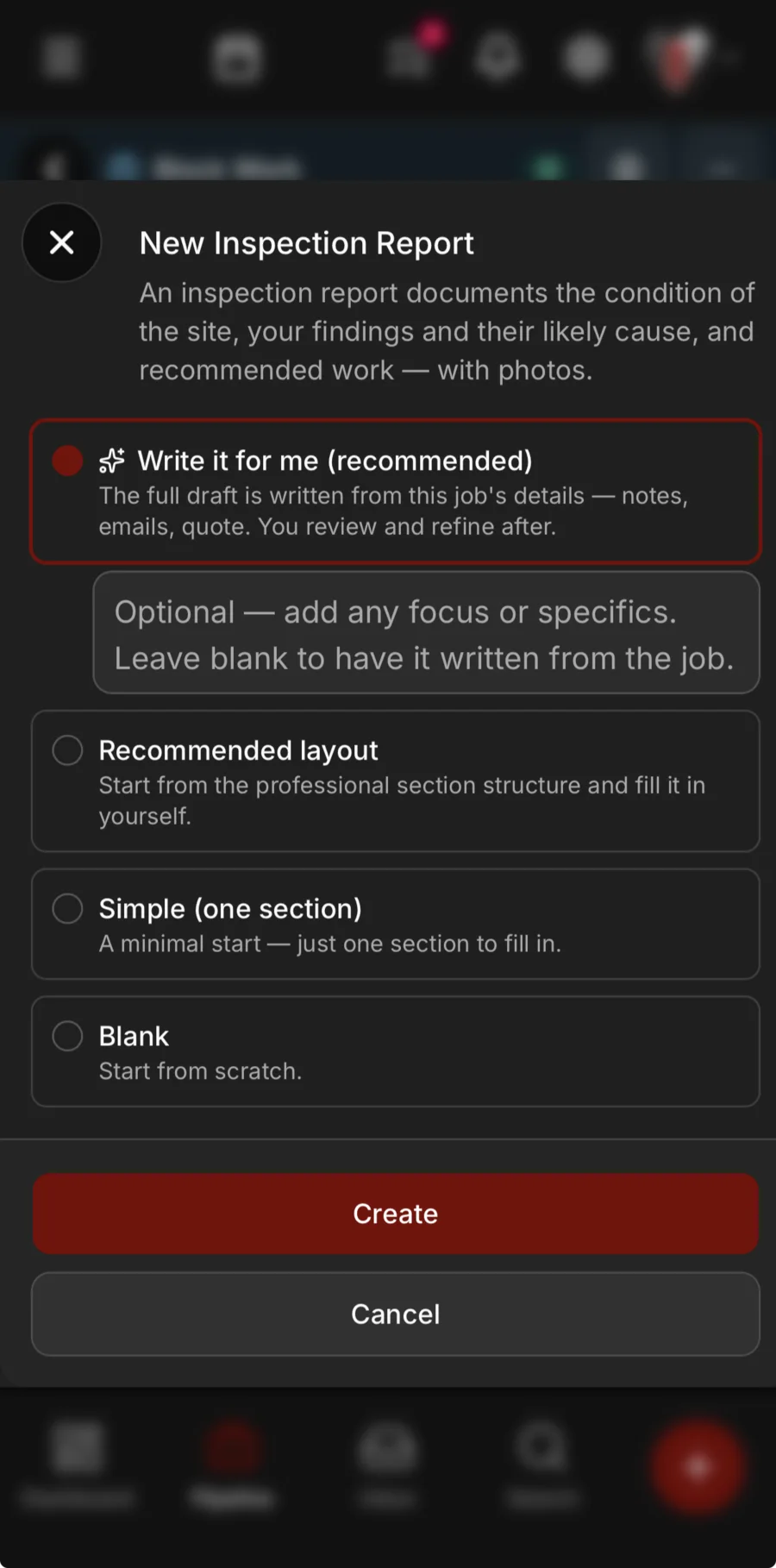
The report writes itself from the job. Trades
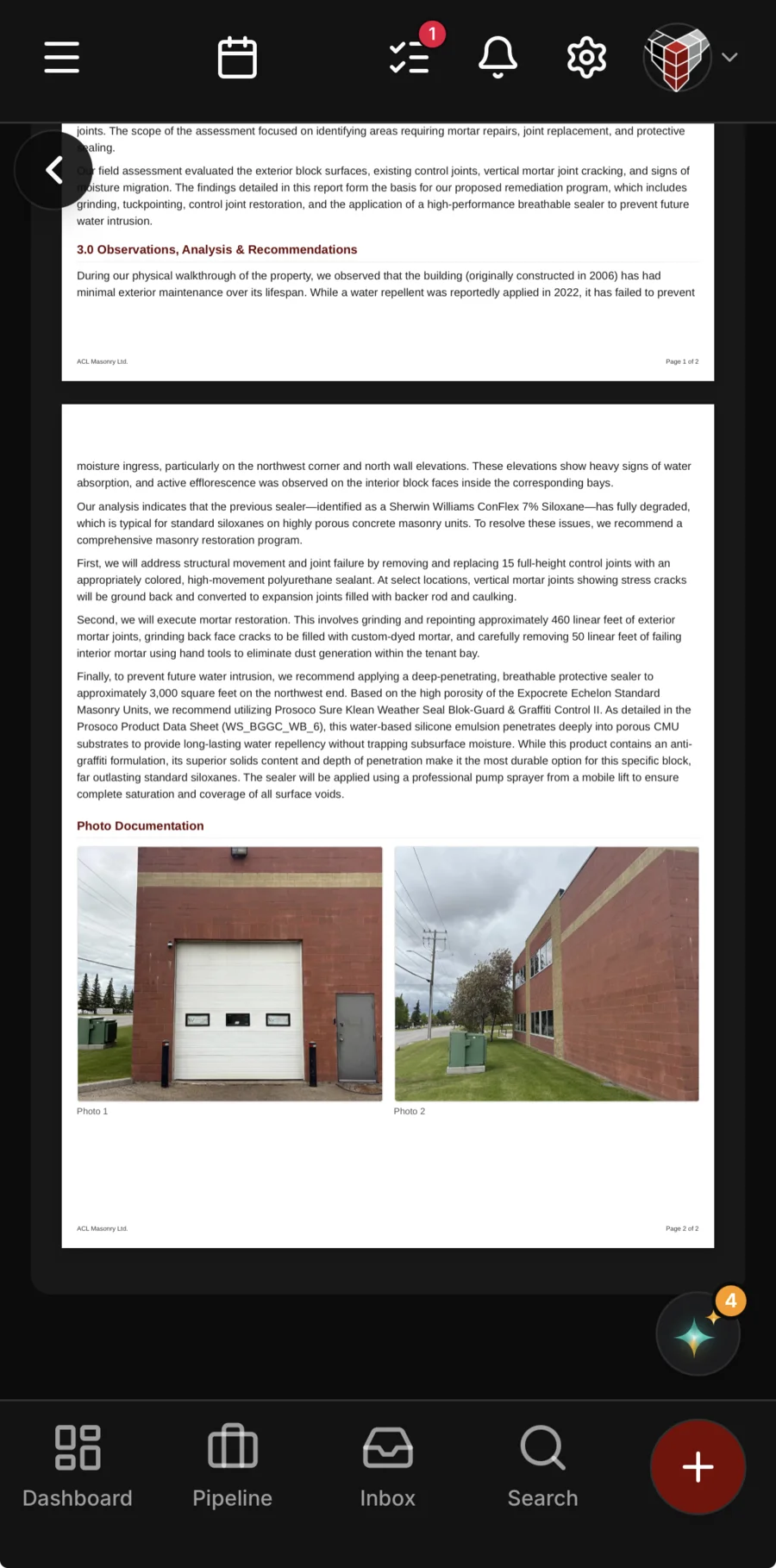
For the trades: an inspection report, a work plan, an O&M manual, a warranty or a closeout package, drafted from the job’s notes, messages and quote and from the company files you’ve added — with the photos that back up your findings. You read it, change what you like, and send it.
- Drafted from the job’s notes, messages and quote — never its prices
- Photos picked and captioned for you, or pick your own
- Nothing is saved or sent until you say so
Turn it sideways
The office, in your hand.

Turn the phone and Daybook opens out the way it does on a computer — the sidebar, the dashboard and how the business is doing, wherever you are standing.
Shown: a sample landscaping company. A small phone keeps its phone layout when it turns.
Same app, your words
One workflow. Two kinds of day.
The mechanics are the same whoever you are. What changes is the vocabulary — and the tools that are switched on.
| Workflow | Field & service trades | Facility & care |
|---|---|---|
| Winning the work | Quotes built from your own labour, materials and markups — the same answer every time — and signed in the client’s portal. | Registration by term, by week or by day, waitlists, and families who register once and come back every season. |
| The day | Clock-in, FLHA safety forms, checklists and photos from the site — offline too. | The week board: every child, the five days across, allergies and medications beside them. Waivers signed before the first day. |
| The client | A client hub: quote approvals and revisions, invoices, a way to pay and a way to message you back. | A family portal: what they booked, what they owe, photos and consents, the schedule — and a way to pay or ask. |
| The money | Progress invoicing on long jobs, GST/HST by province, e-transfers matched for you to confirm. | Monthly billing for a centre or a club, a deposit at registration for a camp; cards and e-transfer; every payment on the family’s record. |
The books
The books keep up with the work.
Invoices raised off what was agreed, and chased with a Pay Now link until they’re paid — e-transfers matched for you to confirm, cards online. Then more than twenty reports built from the work itself, and every pay period’s hours added up.
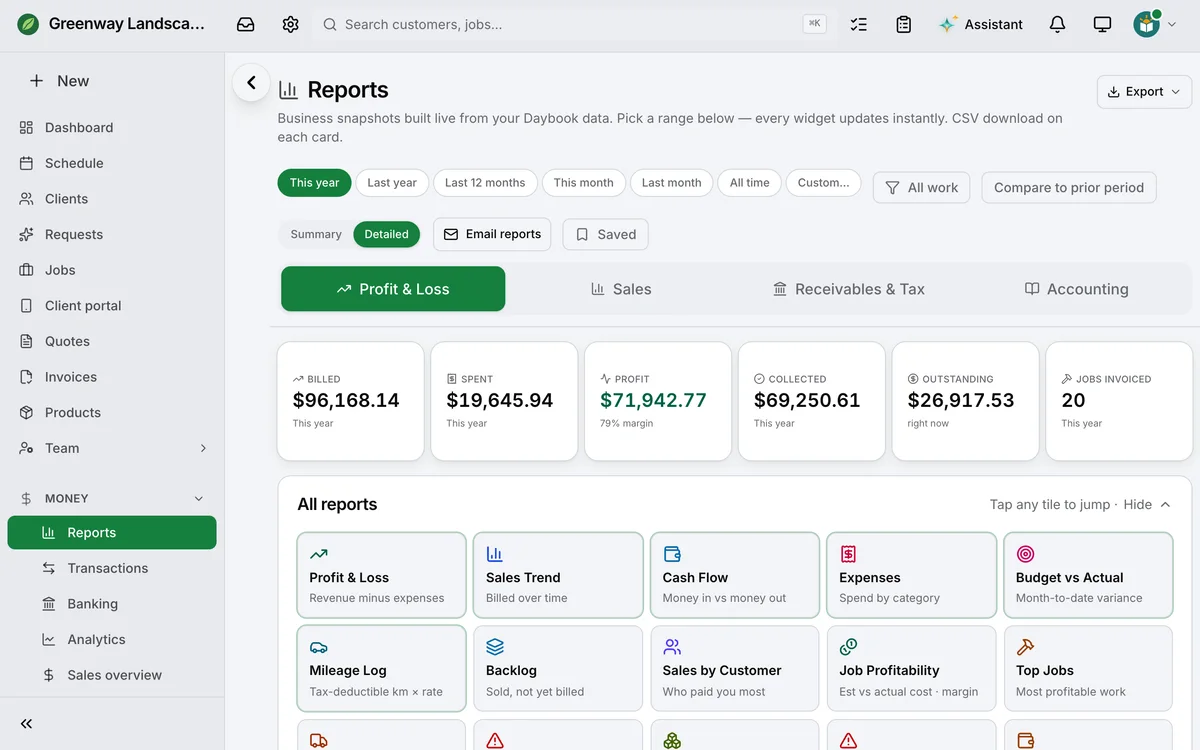
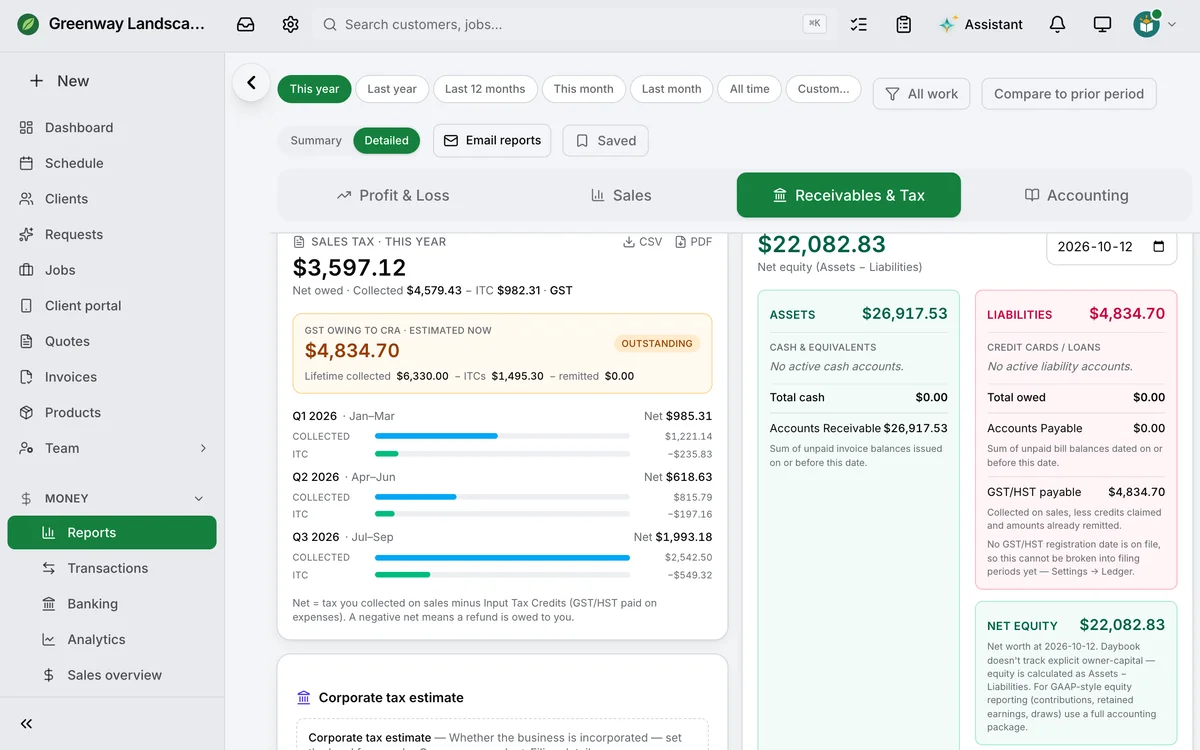
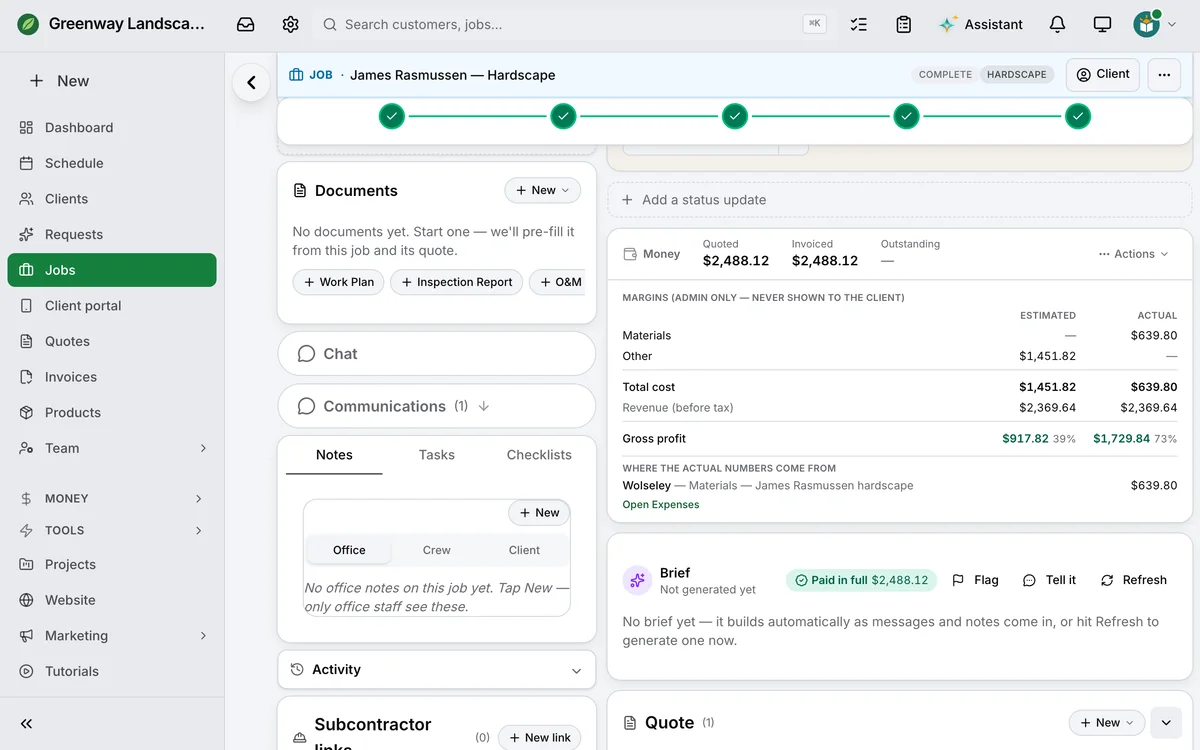
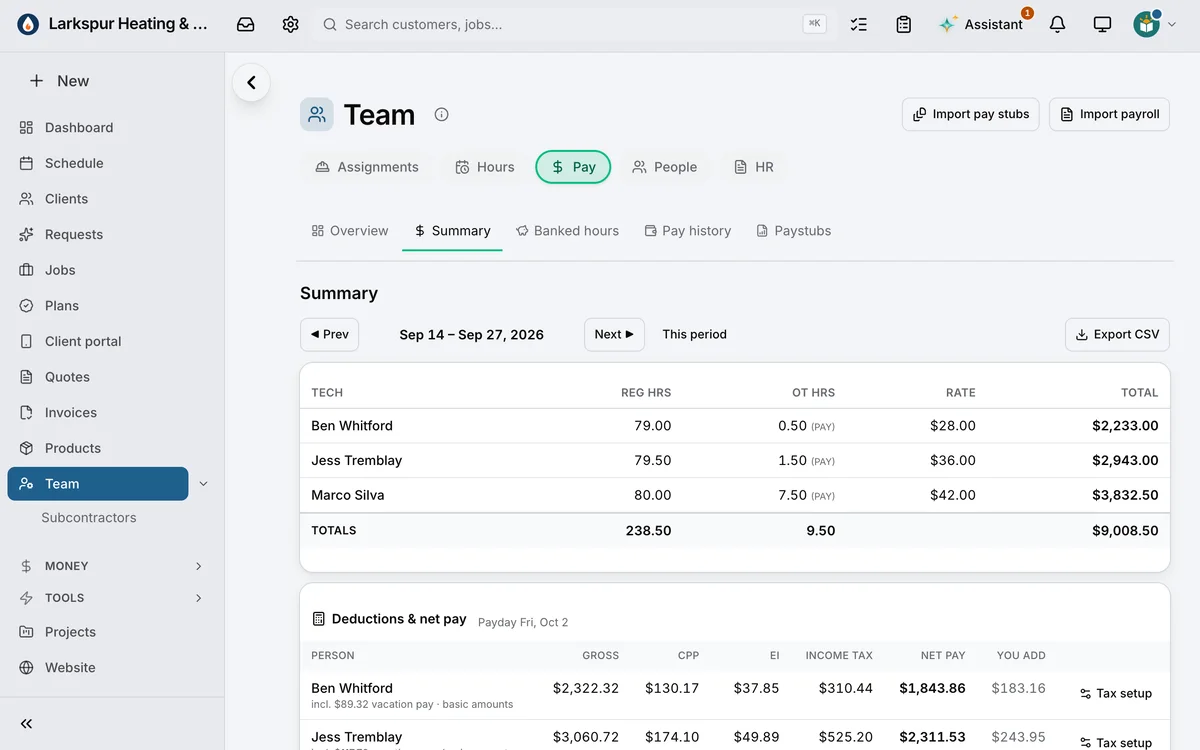
The year at a glance. Billed, spent, profit, collected and still owed — then more than twenty reports, from Profit & Loss to Sales Tax.
Sales tax, worked out. What you collected, less the GST/HST you paid on expenses — and an estimate of what you owe CRA, quarter by quarter.
Margins, job by job. Estimated from the quote against actual — the materials and expenses tagged to the job and the hours clocked at each person’s wage. Trades
Every pay period, added up. Each person’s regular and overtime hours at their rate, with overtime worked out by your rule.
How it’s charged
Growing shouldn’t cost you a seat.
Most software in this market charges by the head. Daybook charges the office and leaves the people doing the work alone.
| Workflow | Field-service platforms priced per user | Care platforms priced per child or per room | Daybook |
|---|---|---|---|
| Currency | Often billed in US dollars — the exchange rate and your card’s foreign fee ride along. | Often billed in US dollars, with the modules priced separately. | Canadian dollars. Every plan, every add-on, printed on the pricing page. |
| The people doing the work | Typically an extra monthly fee for every field user past the plan’s cap. | Typically an extra fee per staff login, per classroom or per child. | Field seats free and unlimited on Crew and Company. Coaches, counsellors and maintenance crews free on every club, camp and property plan. Daycare plans include their staff seats. |
| Your website | Usually a separate builder, or a designer. | Usually not provided. | Included on every plan — a trade, a rep agency, a club, a camp or a daycare starts from pages written for its work; live when you press Publish. |
| Canadian tax | Usually an accounting add-on. | Usually worked out by hand. | GST/HST by province on every invoice, and the Sales Tax report ready for filing. |
Six rate cards — one per kind of business — all on the pricing page. Nothing here is a discount, and there is no setup fee.
Canadian books
Built for Canadian books.
The four things a Canadian business does every week that the rest of the market treats as an add-on.
-
Receipts
A receipt read down to the line. Snap it. It fills itself in, and you check it before it saves.
-
Mileage
A mileage log that keeps itself. Log the trip at your own per-kilometre rate — ready for the accountant.
-
GST/HST
By province. The right rate on every invoice, and the Sales Tax report ready for filing season.
-
Interac
E-transfers matched to the invoice. Read from the notice, matched for you, confirmed by you before it books.
Questions, answered.
Is Daybook only for trades?
No. It runs field and service trades and facility and care businesses — camps, clubs and property management among them — each in its own words. Say what you run when you sign up, and the menus, the buttons and the paperwork follow; the tools you do not need are switched off, not hidden.
Do I pay for every person on my team?
No. Daybook charges the office and leaves the people doing the work alone.
Trades and field service: field seats are free and unlimited on Crew and Company.
Property management: maintenance crews are free and unlimited on every plan.
Gymnastics and rec clubs: coaches and instructors are free and unlimited on every plan.
Day camps: seasonal counsellors are free and unlimited on every plan.
What does it cost?
Every plan and every add-on is printed on the pricing page, in Canadian dollars. There is no setup fee, and you can read every figure without speaking to anyone.
Where is my data kept?
Your database is in Toronto: Canadian-hosted, encrypted in transit and at rest, and every business is its own account.
Can I bring my clients with me?
Yes. Bring your client list as a spreadsheet, or paste it in. It is your list that comes across — not an importer for another product’s export.
Does the brief send messages to my clients?
No. The brief reads what is on the job and drafts the reply or the booking for you. You read it, and you send it. The brief and the Assistant says what it reads and what it does by itself.

Where it came from
Built in the field. Engineered on the Island.
Ryan studied computer engineering in Toronto, then apprenticed as a bricklayer, earned his Red Seal, and in 2014 started a masonry company in Calgary that still has crews in the field every working day. When he moved home to Prince Edward Island he ran his half of it from five thousand kilometres away — the quotes, the schedule, the money, the email — and nothing off the shelf would show him the whole business in one place. Daybook is what that distance taught him to build.
The office sees everything. The field never has to stop.
— Ryan, founder
Read the whole storyTake complete control of your business today.
Start the trial, bring a real week of work, and watch it run in Daybook — your schedule, your conversations, your paperwork, your money.
14-day trial · No credit card · Bring your client list